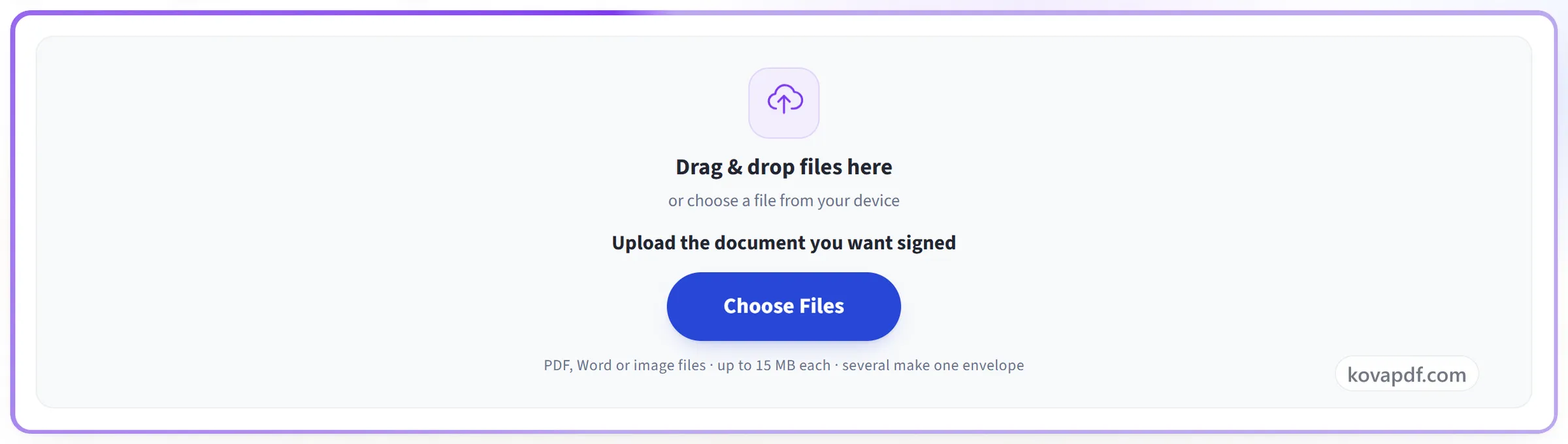
Drag the .pdf onto the panel or click it to pick one; you sign in only when you send. A Word file or a photo works too. It is turned into a PDF first.
Jotform Sign alternative
Drop your PDFs here
PDFs · up to 50 MB · up to 200 pages · up to 30 files
PDF, Word or image files · up to 15 MB each · several make one envelope
On your computer? Get the Windows appOn your phone? Get the phone app
Start with your PDF, add the recipients and put each signature field in place. Upload the document you want signed.
- Free to use
- Works on any device
- Nothing to install
- One or many signers
- In order or all at once
- See who opened and signed
- Certificate of completion
Why send it for signature instead of emailing the PDF?
What Jotform Sign says
Jotform Sign's own pages, in three facts
Prices checked: October 2026.
Document setup
Jotform Sign turns uploaded PDFs into documents with assigned signer fields.
Source: jotform.com/products/sign, Jotform Sign product page
Distribution
Its page describes email delivery, shareable links and embedding documents in a website.
Source: jotform.com/products/sign, Jotform Sign product page
Data after signing
Its document data connects with tables and report building, alongside approval and storage workflows.
Source: jotform.com/products/sign, Jotform Sign product page
Step by step
Request Signatures: a visual walkthrough
One or many signers, in order or all at once, and a signed copy with a certificate of completion for everyone.
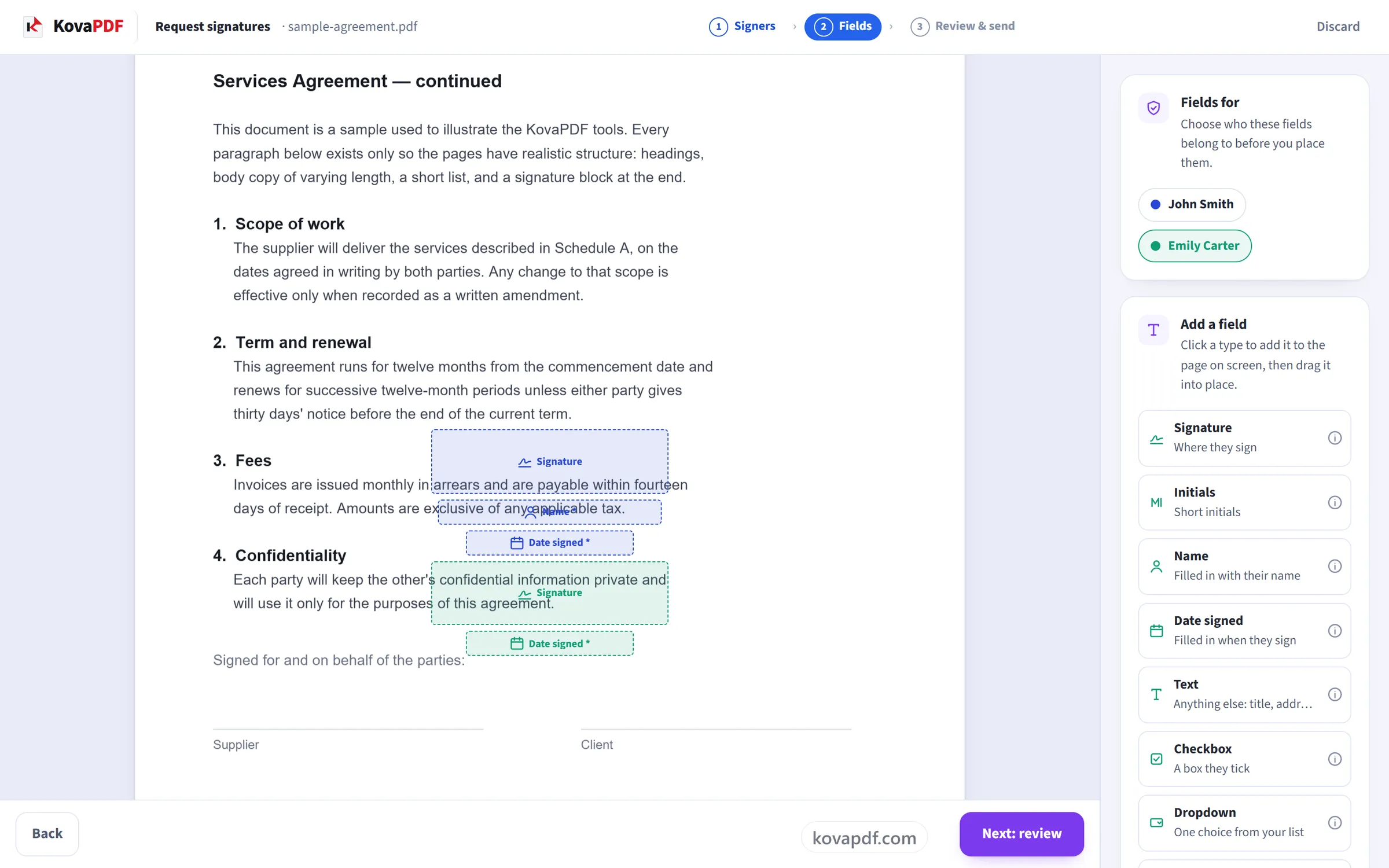
Type each signer's name and email, and choose whether they sign in order. Then pick a signer and click Signature, Initials, Name, Date signed, Text or Checkbox to put that field on the page, and drag it into place. Every signer needs at least one signature field.
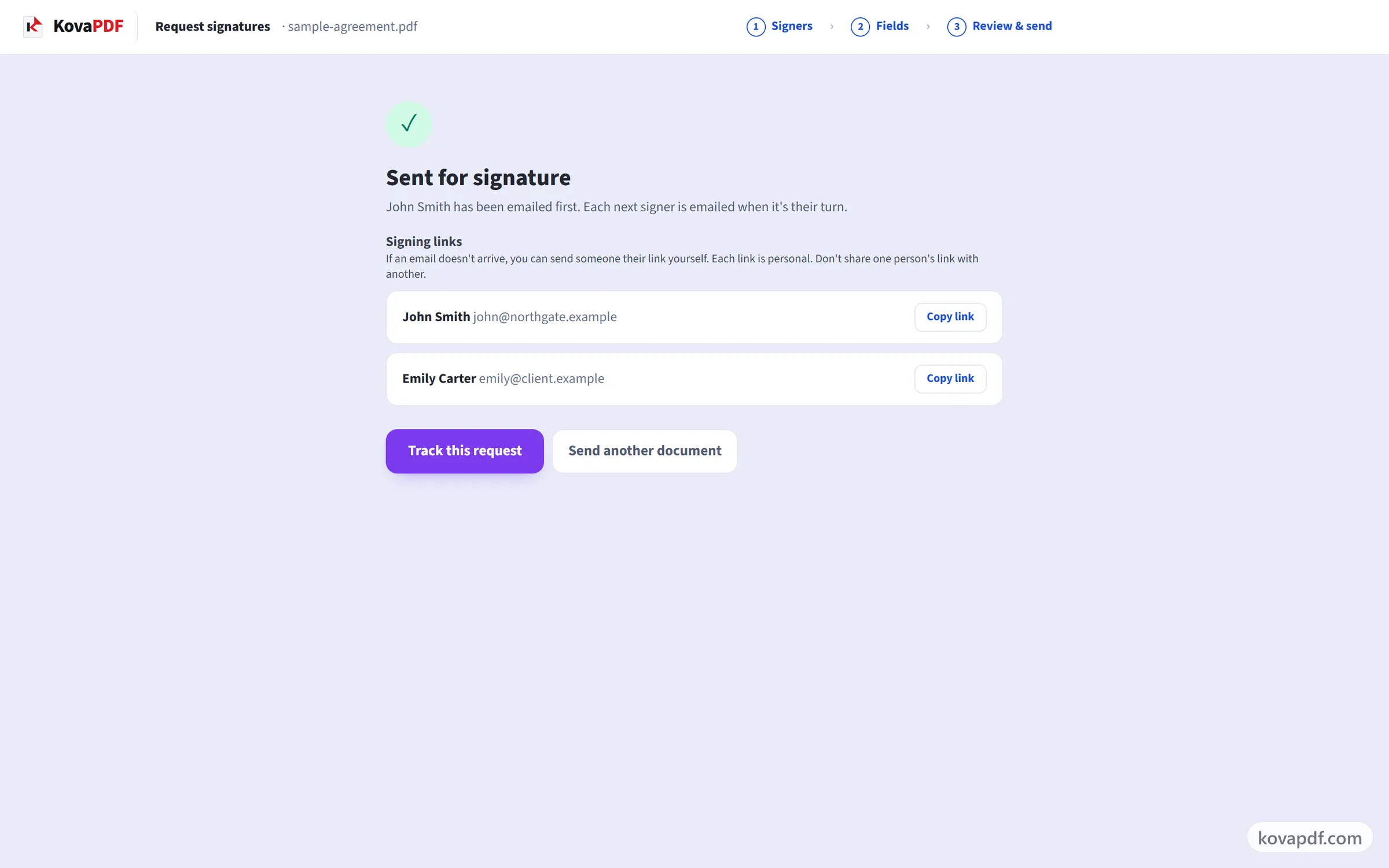
Add a message, choose when the link expires and whether to send reminders, and send. Each signer gets a private link by email; you can see who has opened and signed it under Sent for signature, and everyone receives the signed PDF when the last person signs.
Everything Request Signatures can do
Send a document to other people to sign, free, with no account needed for them, and get back a signed copy sealed with a trusted timestamp and a certificate of completion.
Who signs, and in what order
- Several recipients, one after another or all at once
- Roles: signer, approver, witness, and people who only get a copy
- A signer can hand their turn to someone else, with the reason recorded
- Host a signer in person on your own device
- Signers need no account and install nothing
What they fill in
- Signature, initials, name, date, text and checkbox fields
- Dropdown lists and radio buttons, with the choices you write
- Ask a signer to attach a file, hashed into the certificate of completion
- Calculated fields worked out from the numbers they type
- Show a field only when an earlier answer calls for it
- Place fields anywhere, for any recipient, on any page
- Send a PDF, or a Word file or photo that is converted first
- Anyone who cannot sign can decline, with a reason
Staying in control
- Access code per recipient
- Automatic and manual reminders
- An expiry date, after which the link stops working
- See who opened and who signed, and cancel or delete at any time
- Your own name, logo and colour on the signing page and the emails
Proof at the end
- Certificate of completion with times, IP addresses and devices
- The finished file is sealed with a trusted timestamp, so later changes show
- Everyone gets the signed copy
- Check the result yourself with our free Verify tool
Compare the work you need to do
| Question | KovaPDF | Jotform Sign |
|---|---|---|
| Document source | KovaPDFStart from the approved PDF you choose. | Jotform SignTurn an uploaded PDF into an e-sign document. |
| Distribution | KovaPDFPrivate email requests, with public signing links as a separate route. | Jotform SignEmail, shareable links and documents embedded in a website. |
| Document data | KovaPDFKeep the completed file and evidence with your business records. | Jotform SignOrganize collected document data in tables and reports. |
Prices checked: October 2026.
The honest answer
Which one should you use?
 Where KovaPDF is better
- Your form is already settled. Place fields on an approved PDF instead of rebuilding it as a data collection project.
- You want to try the actual request now. The working upload box is at the top of this comparison.
- Signers should not register. Recipients follow a private link. Only the sender needs a free account, with a limited allowance.
Choose Jotform Sign if…
- Collected answers feed reports. Jotform Sign describes organizing document data in tables and reports.
- Documents belong in a website. Its product page offers embedded signing documents.
- An approval flow surrounds signing. Jotform Sign connects documents to approval and cloud storage workflows.
Prices checked: October 2026.
Decide whether the PDF or its answers are the product
A Jotform Sign alternative can be a good fit when the document is finished and only signatures are missing. It is a different choice when the fields feed a registration table, an approval process or a report. In that case the answers matter as much as the signed pages.
Jotform Sign's own page puts those jobs together. It describes document creation, signer roles, approval flows, embedding, an inbox and tools for analyzing document data. Replacing the signature step does not automatically reproduce those connections.
An agreement that stays a document
Consider fictional Linden Pottery Classes. Noor sends an approved private lesson agreement to a parent. The lesson details are already written in the PDF. She uploads it here and assigns the parent's signature and date fields. She uses a free sender account. The parent signs from an email link without an account.
For this example, a saved signed copy is the intended record. Noor does not need to turn each field into a row in a report. If she instead needs a public registration form that routes answers into class rosters, Jotform's connected data tools deserve a closer look.
Check the route each copy takes
A private request, a public link and a form embedded in a website reach people differently. Do not swap one for another without checking recipient privacy. A request addressed to a named parent should not become a public document by accident.
Read signing link for KovaPDF's public entry route, or send PDF for signature for a request addressed to known people. Request Signatures is the tool used above.
Before changing a live process, test with fictional contact details and inspect the completed PDF. Decide where answers will be recorded and who needs a copy. The guide to checking a signed PDF helps you inspect the file rather than relying on how the signature looks.
Prices checked: October 2026.
Questions
Jotform Sign alternative: common questions
Does this reproduce Jotform Sign's tables and reports?
No. The tool here prepares a document for signature. Jotform's page describes separate data organization and reporting features.
Can I use an agreement I already designed?
Yes. Upload its PDF and assign signature fields to recipients. Check the complete preview before sending.
Can I prepare the request without registering first?
Yes. Prepare it first, then use a free KovaPDF account to send. Signers never need an account.
Should a public registration form move here?
First check where its answers go. Jotform Sign may fit better if your process depends on embedded documents, approval flows or reports.
Is a public signing link the same as an email request?
No. A private request is sent to known recipients. A public link lets new people start a signing process. Choose the route that matches the document's audience.
Prices checked: October 2026.
Keep going
Related tools and pages
Request SignaturesSend a PDF to others to signSend a PDF for signatureUpload, add signers, place fields, send: the three steps, with the tool on top.How to read a signature check result: intact, who signed, and trustedA signature check result has several lines because each one means something different. What every line tells you, and which one decides whether to accept.
Jotform Sign is a trademark of its owner. KovaPDF is not connected with, or endorsed by, Jotform Sign. The facts above come from Jotform Sign's own public pages. This page compares products; it is not legal advice.