PDF to Excel Converter
Pull your PDF's tables and text into an Excel workbook, one worksheet per page, each row and column in its own cells.
- Keeps your layout
- Works on any device
- Deleted after processing
- Tables land in real cells
- One worksheet per page
- Column widths and borders kept
- Opens in Excel or LibreOffice
Drag & drop file here
or choose a file from your device
Upload a PDF to convert it into an editable Excel spreadsheet
PDF files only
Everything PDF to Excel can do
Rebuild a PDF's tables and text as an editable .xlsx workbook, free and online, with no account.
One sheet per page
- Each PDF page becomes its own worksheet, in page order
- Column widths measured from the page's own spacing
- Row heights taken from the gaps the page left
Grid that lines up
- The rules the page drew decide where the columns fall
- Wide cells become real merges across the squares they cover
- A three-column header still sits over a nine-column table
- Cell text aligned left, centre or right as it sat on the page
How each cell looks
- Font, size, bold and italic kept cell by cell
- Text colour carried across from the page
- Cell borders drawn at the thickness the rules had
- A cell holding two lines keeps both, and wraps
More from one upload
- A page with no text layer is placed whole on its own sheet
- Switch to Word or PowerPoint without uploading the file again
- Open the PDF in the editor first, then come back for the workbook
How it works
PDF to Excel in three steps
Upload your PDF
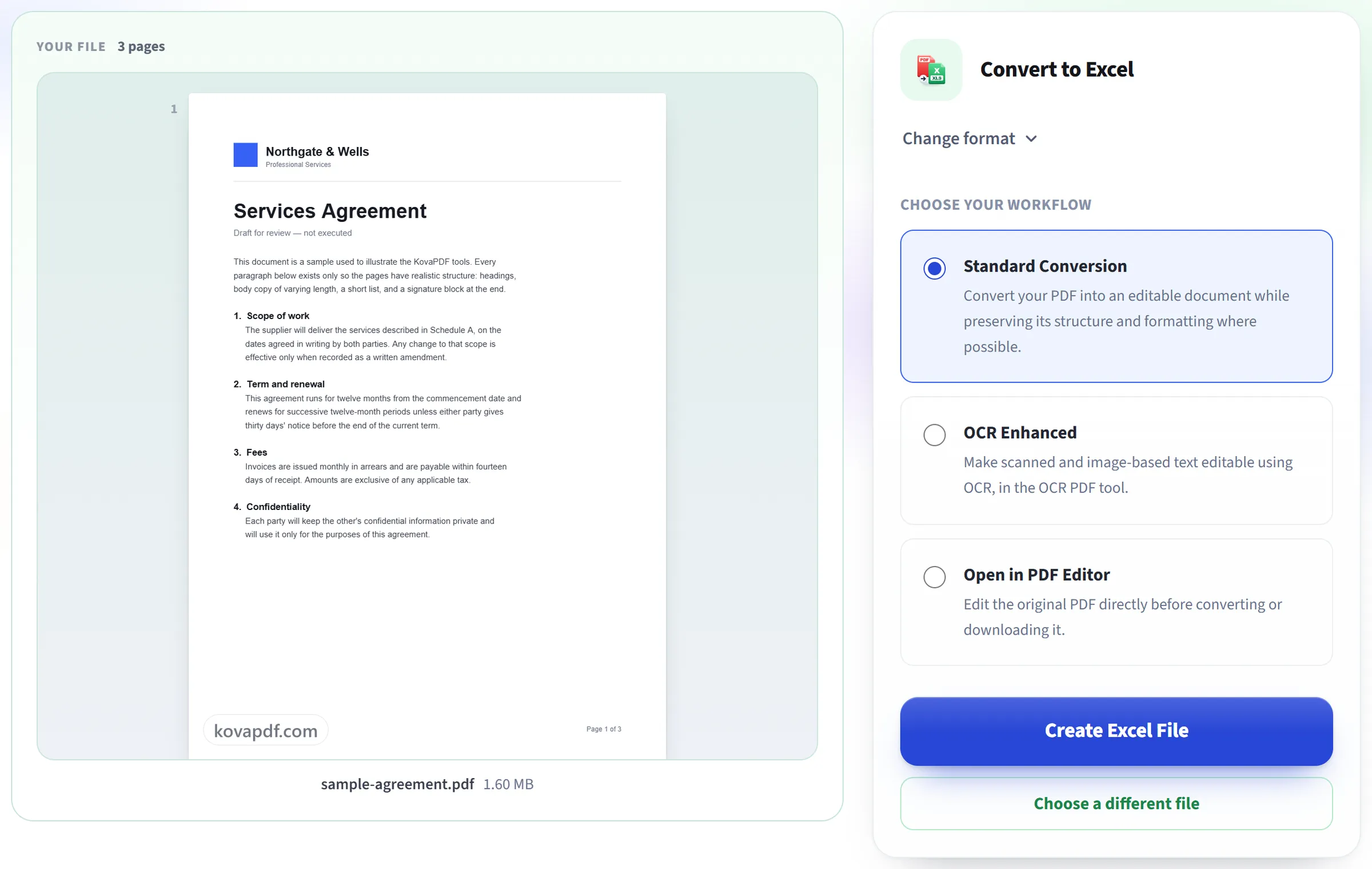
Drag your file onto the upload panel, or click it to pick one from your device. Conversion starts as soon as the file is read, and the working copy is deleted the moment it finishes.
It reads your document's layout
Each page becomes its own worksheet, with text split into columns wherever the PDF's own spacing shows a real table.
Download your workbook
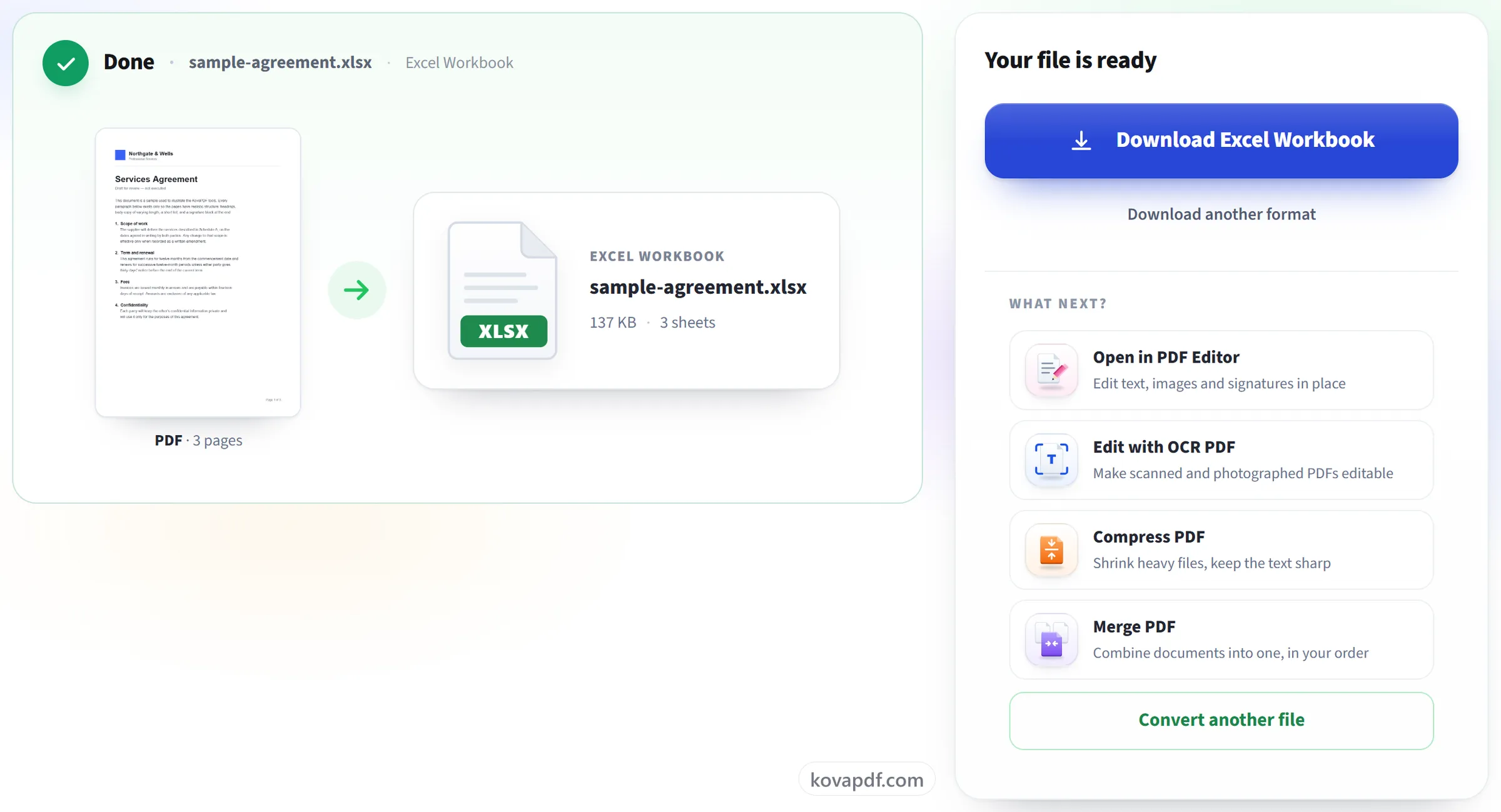
Open it in Excel to sort and filter the data. Numbers arrive as text, so convert a column to numbers before you calculate with it.
PDF to Excel: a visual walkthrough
Turn a PDF's tables and text into a real Excel workbook.
Upload your PDF
Drag your file onto the upload panel, or click it to pick one from your device. Conversion starts as soon as the file is read, and the working copy is deleted the moment it finishes.

It reads your document's layout
Each page becomes its own worksheet, with text split into columns wherever the PDF's own spacing shows a real table.
Download your workbook
Open it in Excel to sort and filter the data. Numbers arrive as text, so convert a column to numbers before you calculate with it.
Frequently asked questions about PDF to Excel
How do I convert a PDF to Excel?
Upload the PDF and download the .xlsx that comes back. Each page becomes its own worksheet, with the page's tables and text set out in cells in the same arrangement as on the page.
Will my tables come out as real columns?
Tables drawn with lines come out best: each ruled cell becomes a cell, with the original column widths, merged cells and borders. On a page with no drawn lines, the columns are worked out from where the text sits, which suits simple lists but is a best guess.
Will the numbers work in formulas?
Not straight away. Every cell comes in as text, numbers included, so SUM and other formulas skip them until they are converted. Select the column and use Excel's Convert to Number option, or Text to Columns, to turn them into real numbers.
How are pages organised?
Each page of the PDF becomes its own worksheet in the workbook, named "Page 1", "Page 2" and so on.
Are images and logos included?
Photos and other images embedded in the page are placed on the sheet near where they sat. Logos and graphics drawn as shapes rather than stored as images are not carried over.
Does it work on scanned PDFs?
It converts them, but a scanned page is placed in its worksheet as a picture, so there are no cells to work with. The result screen tells you when this has happened. To get the words and numbers out as text, use PDF to Text, which reads scanned pages with OCR.
Is it free?
Yes. Every tool works without paying and without an account. Files can be up to 200 pages and 80 MB, and a run that fails costs you nothing.
Do I need to create an account?
No. All tools work without signing in. An account raises your hourly allowance and lets you see what you have processed.
What happens to my file?
Your file stays on our server only for a short time while it is processed, then it is deleted. It is sent over an encrypted connection. We keep a record that the tool was used, but not the file name or what is in the file.
PDF to Excel guides and articles
Related tools
All PDF tools · 15 step-by-step guides · How your files are handled