Send a PDF for signing, sign it yourself, or check a signature
Three signature tools for people whose documents have to stand up afterwards: send a PDF to others to sign, sign one with your own certificate, or check every signature in a file somebody sent you.
- In order or all at once
- See who opened and signed
- Certificate of completion
Free, in your browser. Signers need no account and install nothing. Only the person sending a request needs a free account, because it goes out in their name.
Pick the one that matches what you are holding.
Each tool does one job: getting others to sign, signing with your own certificate, or checking a signed file. Use one, or use them together.
Request Signatures
Send a document to other people to sign, free, with no account needed for them, and get back a signed copy sealed with a trusted timestamp and a certificate of completion.
- Up to 25 recipients, one after another or all at once
- Signature, initials, name, date, text and checkbox fields
- Access code per recipient
- Certificate of completion with times, IP addresses and devices
Digital Signature
Sign a PDF with your own certificate. It is a real cryptographic signature that proves who signed and shows any later change.
- Sign with your own .pfx or .p12 certificate file
- PAdES B-B, B-T, B-LT and B-LTA signatures
- Drag the visible stamp anywhere on any page
- Certify the document (DocMDP levels 1 to 3)
Verify Signature
Check every digital signature in a PDF: whether it still matches the document, who signed it, and whether their certificate can be trusted. Free, online, nothing kept.
- Tells you plainly whether the document changed after signing
- Full certificate details and the chain up to the root
- Timestamp checked, with the authority that issued it
- Download a PDF report of the whole check
Everything Request Signatures can do
Send a document to other people to sign, free, with no account needed for them, and get back a signed copy sealed with a trusted timestamp and a certificate of completion.
- Upload the document
- Add the signers and place their fields
- Send it and follow its progress
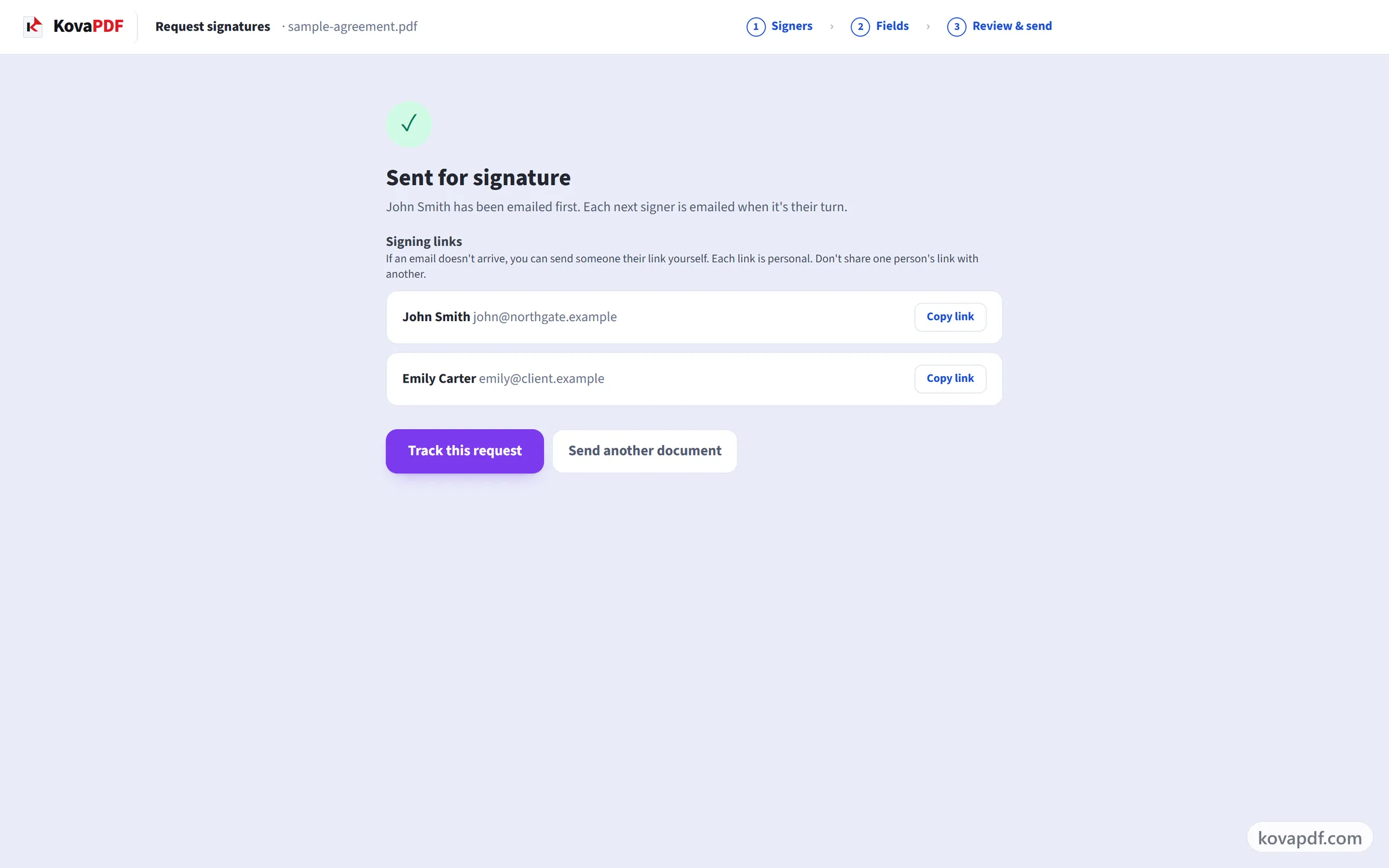
Who signs, and in what order
- Up to 25 recipients, one after another or all at once
- Roles: signer, approver, witness, and people who only get a copy
- A signer can hand their turn to someone else, with the reason recorded
- Host a signer in person on your own device
- Signers need no account and install nothing
What they fill in
- Signature, initials, name, date, text and checkbox fields
- Dropdown lists and radio buttons, with the choices you write
- Ask a signer to attach a file, hashed into the certificate of completion
- Calculated fields worked out from the numbers they type
- Show a field only when an earlier answer calls for it
- Place fields anywhere, for any recipient, on any page
- Send a PDF, or a Word file or photo that is converted first
- Anyone who cannot sign can decline, with a reason
Staying in control
- Access code per recipient
- Automatic and manual reminders
- An expiry date, after which the link stops working
- See who opened and who signed, and cancel or delete at any time
- Your own name, logo and colour on the signing page and the emails
Proof at the end
- Certificate of completion with times, IP addresses and devices
- The finished file is sealed with a trusted timestamp, so later changes show
- Everyone gets the signed copy
- Check the result yourself with our free Verify tool
Everything Digital Signature can do
Sign a PDF with your own certificate. It is a real cryptographic signature that proves who signed and shows any later change.
- Upload your PDF
- Add your certificate and place the stamp
- Download the signed PDF
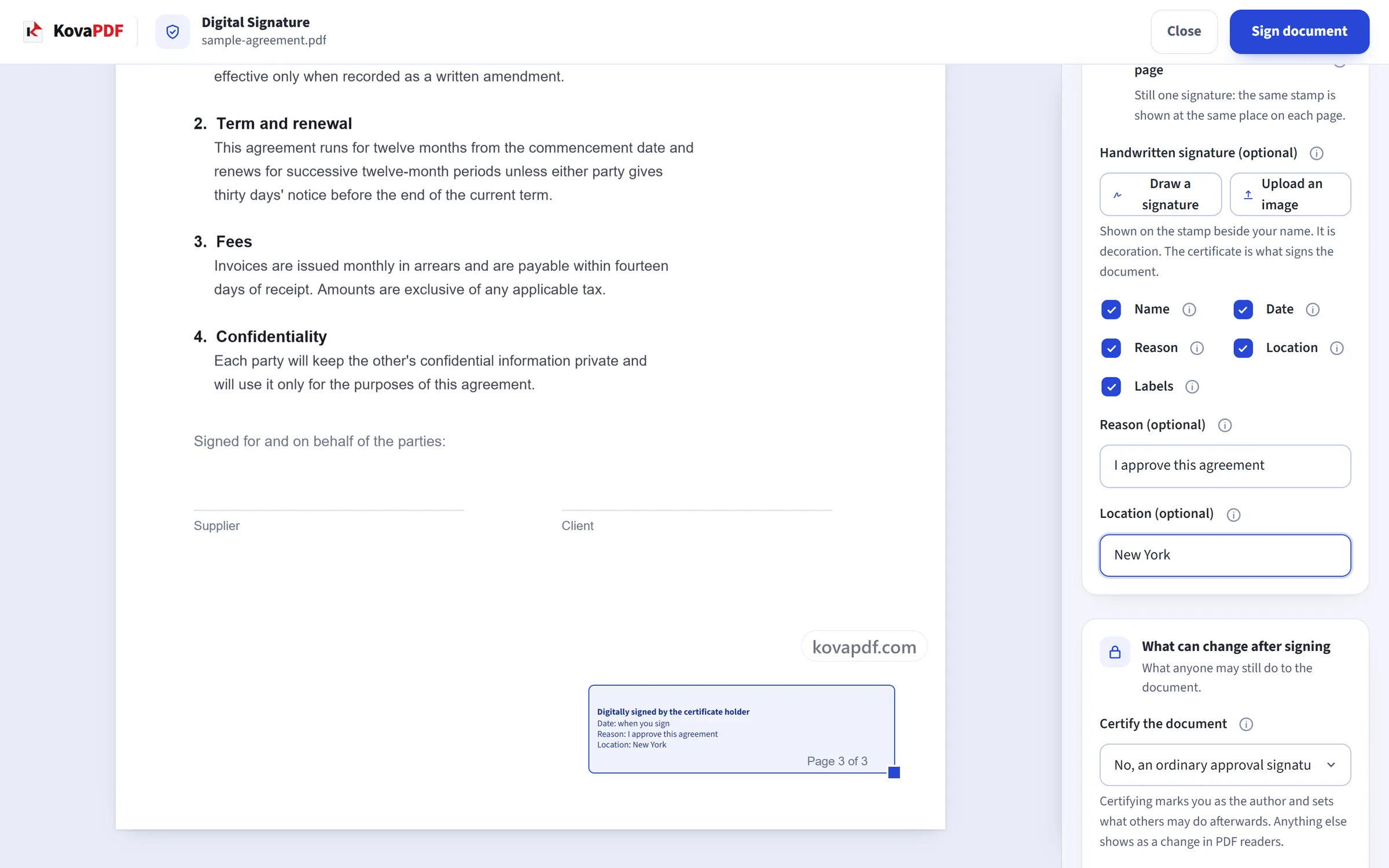
Your signing key
- Sign with your own .pfx or .p12 certificate file
- Sign with a USB token or smart card, so the key never leaves the device
- RSA and ECDSA keys, including P-256, P-384 and P-521
- Create a free self-signed Digital ID in your browser if you have no certificate
- Choose SHA-256, SHA-384, SHA-512, or let the tool match the hash to your key
Standards and long-term proof
- PAdES B-B, B-T, B-LT and B-LTA signatures
- Trusted RFC 3161 timestamp from an independent authority
- LTV: revocation proof embedded so the signature still verifies years later
- Archive timestamp for long-term archiving
- Signature validated on our side before the file is handed back
Where the signature goes
- Drag the visible stamp anywhere on any page
- Sign an existing empty signature field by name
- Invisible signature when the page must not change
- Show name, date, reason, location, or your own handwritten signature image
- Sign a whole batch of PDFs in one go, downloaded as a ZIP
What can change afterwards
- Certify the document (DocMDP levels 1 to 3)
- Lock the document so later edits break the signature
- Add your signature without touching anyone else's earlier signature
Everything Verify Digital Signatures can do
Check every digital signature in a PDF: whether it still matches the document, who signed it, and whether their certificate can be trusted. Free, online, nothing kept.
- Upload the signed PDF
- Read the result
- Download a PDF report of the whole check
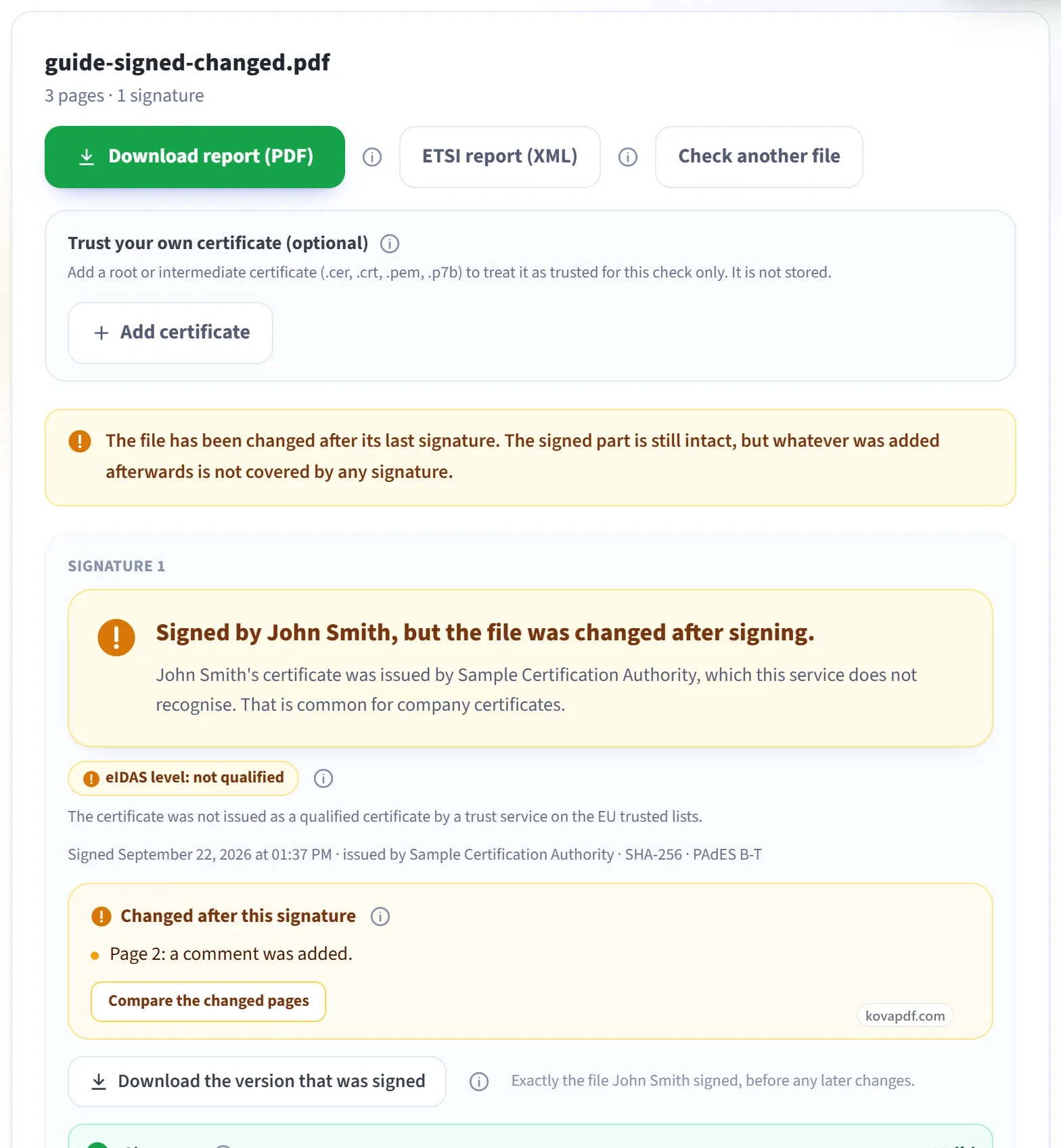
Is the document intact
- Tells you plainly whether the document changed after signing
- Shows what changed, page by page, against the signed version
- Download the exact version that was signed
- Every signature in the file reported separately, in order
- Flags a signature image that has no real digital signature behind it
Who signed, and can they be trusted
- Full certificate details and the chain up to the root
- Revocation checked live by OCSP and CRL
- EU Trusted Lists: says whether it is a qualified signature or seal under eIDAS
- AATL: says whether Adobe trusts the issuer
- Add your own root certificate for a check we could not otherwise make
Time and long-term validity
- Timestamp checked, with the authority that issued it
- LTV and DSS data detected, so you know the signature survives certificate expiry
- Certification and permission rules (DocMDP) reported as the signer set them
Proof you can keep
- Download a PDF report of the whole check
- Download an ETSI TS 119 102-2 validation report in XML
- One plain-language verdict, with every fact shown on its own line
Most documents do not need one.
Sign PDF
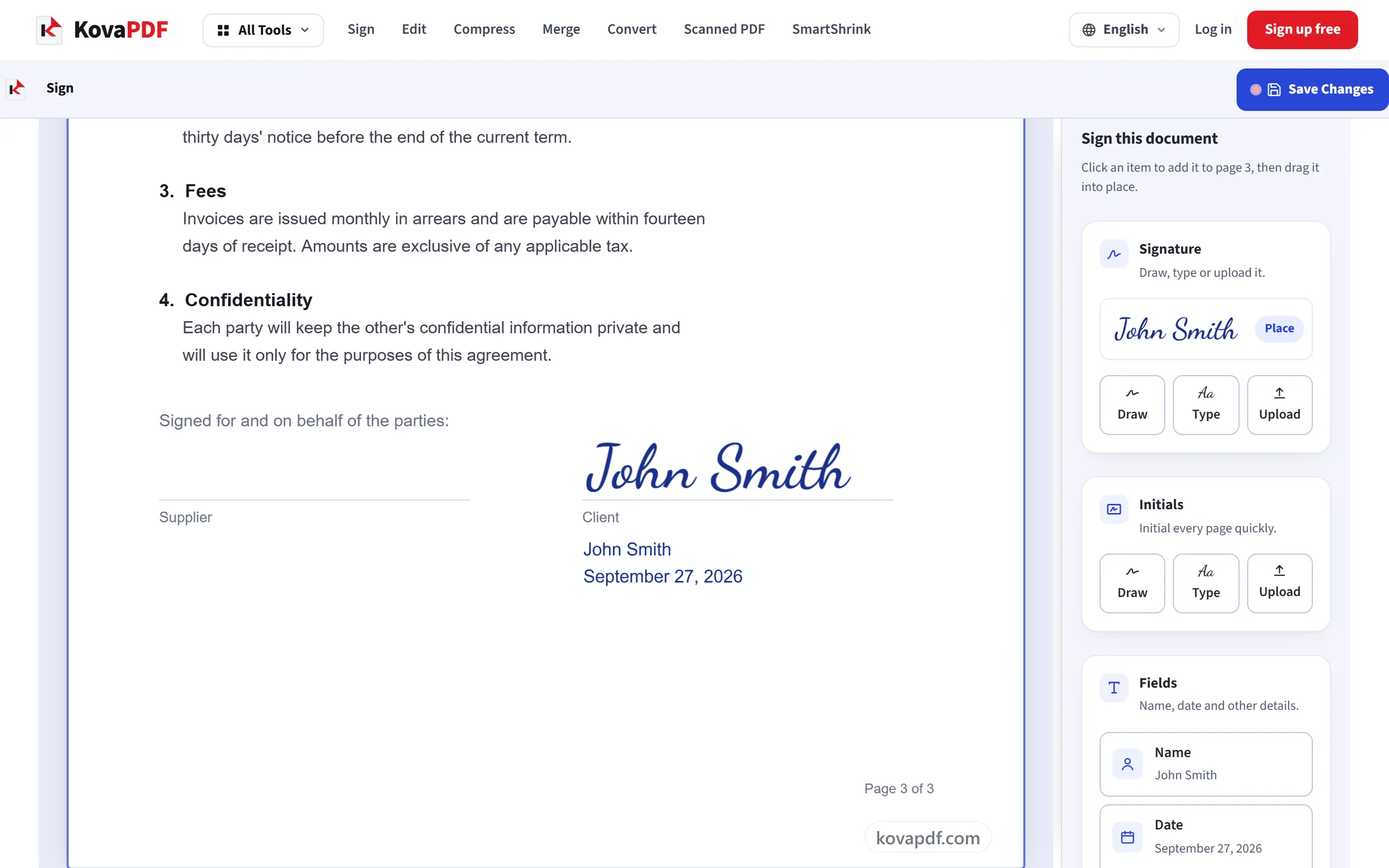
Draw, type or upload your signature and place it anywhere on the page. No account or certificate needed
Sign PDF puts your signature on the page for people to see, with no certificate needed. Digital Signature uses a certificate (a digital ID file) to lock the document, so any later change shows up and the signer can be identified. Use Sign PDF for everyday signing, and Digital Signature when you must be able to prove the document hasn't changed.
- Upload your PDF
- Make your signature and place it
- Save and download
Six things worth checking before you decide.
PAdES B-B, B-T, B-LT and B-LTA signatures
Archive timestamp for long-term archiving
Sign with a USB token or smart card, so the key never leaves the device
RSA and ECDSA keys, including P-256, P-384 and P-521
EU Trusted Lists: says whether it is a qualified signature or seal under eIDAS
AATL: says whether Adobe trusts the issuer
Download an ETSI TS 119 102-2 validation report in XML
Download a PDF report of the whole check
Certificate of completion with times, IP addresses and devices
The finished file is sealed with a trusted timestamp, so later changes show
Signers need no account and install nothing
Up to 25 recipients, one after another or all at once
All of it is on the free tools, with no trial and no card.
What happens to your document
What happens to my file?
Your file stays on our server only for a short time while it is processed, then it is deleted. It is sent over an encrypted connection. We keep a record that the tool was used, but not the file name or what is in the file.
Does KovaPDF store my documents?
Only when you send a document for signature. It has to be kept until everyone has signed, and it stays in your account until you delete the request. Apart from that, we don't store your documents and there is no file library. We keep a record that a tool was used (which tool, whether it worked, the file sizes, the page count and how long it took), but not the file name or what is in the file.
Is my certificate or password kept?
No. Both are used once to make this signature and are then discarded. Your private key is never saved anywhere or sent to any other service.
Common questions
Is it free?
Yes. Every tool works without paying and without an account. Files can be up to 200 pages and 80 MB, and a run that fails costs you nothing.
Do the people I send it to need an account?
No. Signers open their private link, fill in their fields and sign in the browser, on a computer or a phone. Only you, the sender, need a free account, because the request goes out in your name and has to come from a verified email address.
What do I need to use this tool?
A certificate file, usually ending in .pfx or .p12, and its password. It is issued to you by an employer, a bank, a government office, or a certification authority that sells document-signing certificates. If you were never given one, you probably don't have one. Sign PDF works without it.
What is the certificate of completion?
A page added to the end of the signed PDF that records how it was signed: the document's fingerprint before signing, and for each signer their name, email, when they opened and signed it, and the IP address and browser they used.
Will Adobe Acrobat show a green tick?
Only if your certificate comes from an authority on Adobe's own trust list. That depends on who issued the certificate, not on which website did the signing. With any other certificate, Acrobat shows the signature as valid and the signer as unknown. That is normal and not an error.
How can anyone tell the signed file was not changed afterwards?
When everyone has signed, the finished file is sealed with a trusted timestamp from an independent timestamp authority. Any change after that shows as a broken seal in a PDF signature checker such as Verify PDF Signature or Adobe Acrobat. The request page also shows the file's SHA-256 fingerprint.
What does the trusted timestamp add?
An independent time service records when you signed. This keeps the signature checkable after your certificate expires, and proves the signing time did not come from your own computer's clock. Only a fingerprint of the signature is sent to the time service. The document is not sent.
What does "Signature: Valid" mean?
It means the document hasn't changed at all since it was signed. This is the most important line in the report.
Does "Not trusted" mean the signature is fake?
No. It means this checker doesn't recognise who issued the certificate. That is very common for certificates a company gives its own staff. If Signature says Valid, the document hasn't changed since signing. Trust is a separate question about who vouches for the signer.
Are these signatures legally binding?
They are electronic signatures, which many countries accept for many everyday agreements. They are not certificate-based digital signatures. Whether an electronic signature is enough for a particular document depends on the law that applies to it. For documents that need a certificate signature, use Digital Signature.
If you want to understand what you are signing
Send the contract, and keep the proof.
Upload the PDF, put each person's fields on the page, and send it. Everyone gets the signed copy with a certificate of completion, sealed with a trusted timestamp.
Free. No card, no trial. Signers need no account.