Short version
KovaPDF is an online PDF toolkit. People edit the real text in a PDF, send documents for signature, check signed files and convert, compress or redact PDFs in the browser, on Windows and on Android.
Press kit
Everything you need in one place: the facts, text ready to quote, HD screenshots, the logo and our brand rules. Use them when you write about KovaPDF.
About KovaPDF
Use either text as it is. Both are kept up to date.
KovaPDF is an online PDF toolkit. People edit the real text in a PDF, send documents for signature, check signed files and convert, compress or redact PDFs in the browser, on Windows and on Android.
KovaPDF is an online PDF toolkit made in Bangladesh. Work on it began in 2025 and the website went live in 2026. Its editor changes the words already in a PDF and saves them in the document's own font. Request Signatures sends one document to several people in a set order, and Verify Signature shows who signed a file and whether it changed afterwards. 61 tools convert, compress, organise, redact and read scanned PDFs. KovaPDF works in 27 languages, in any modern browser and as apps for Windows and Android. Every tool works without an account; only Request Signatures needs one.
What KovaPDF has today
Every tool works in the browser without an account. Request Signatures is the one feature that needs one.
PDF editor
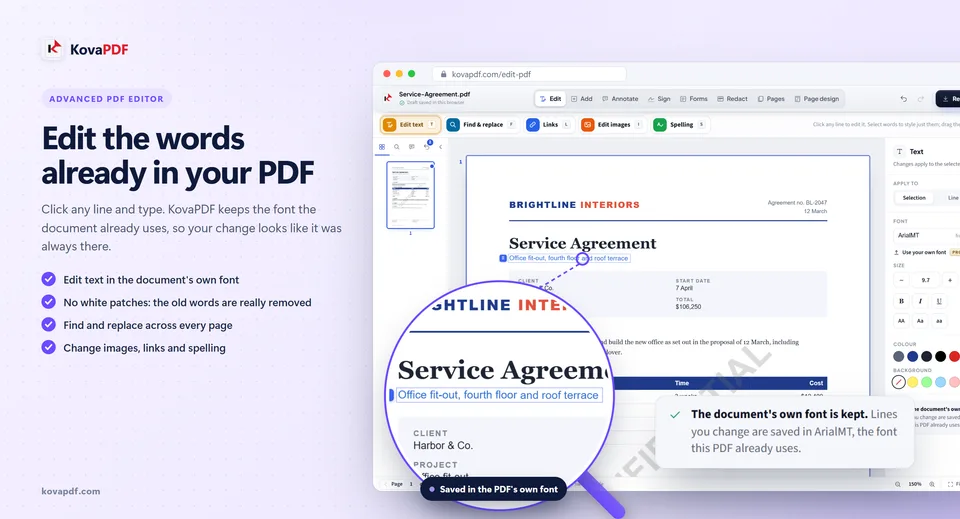
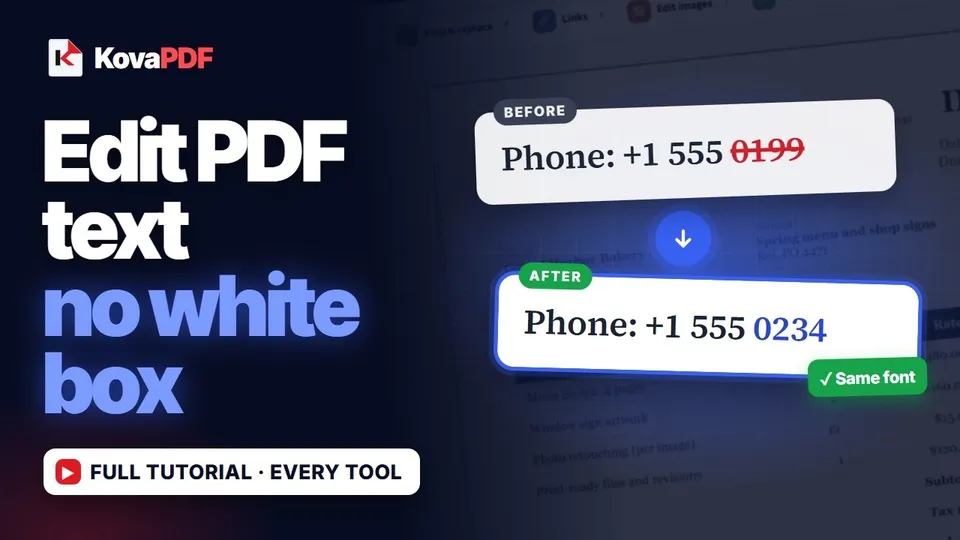
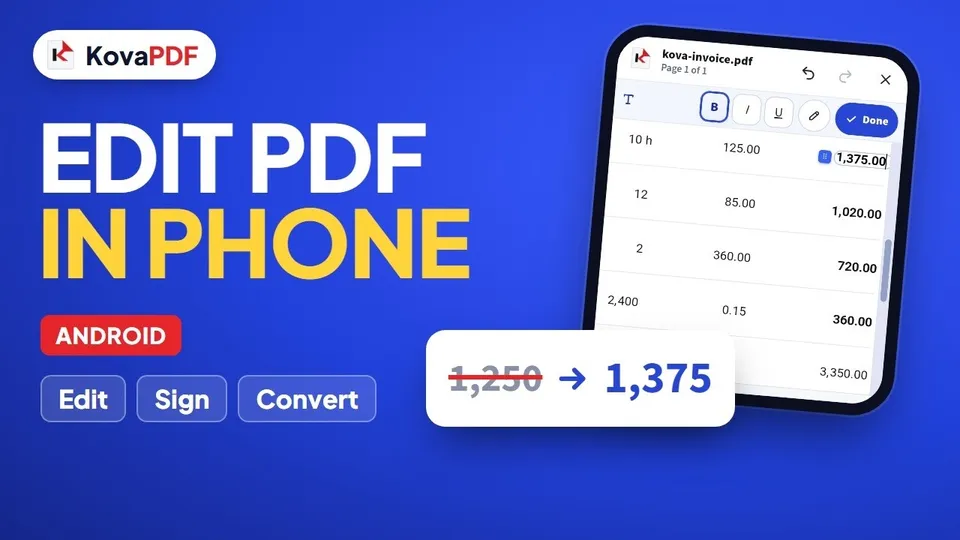
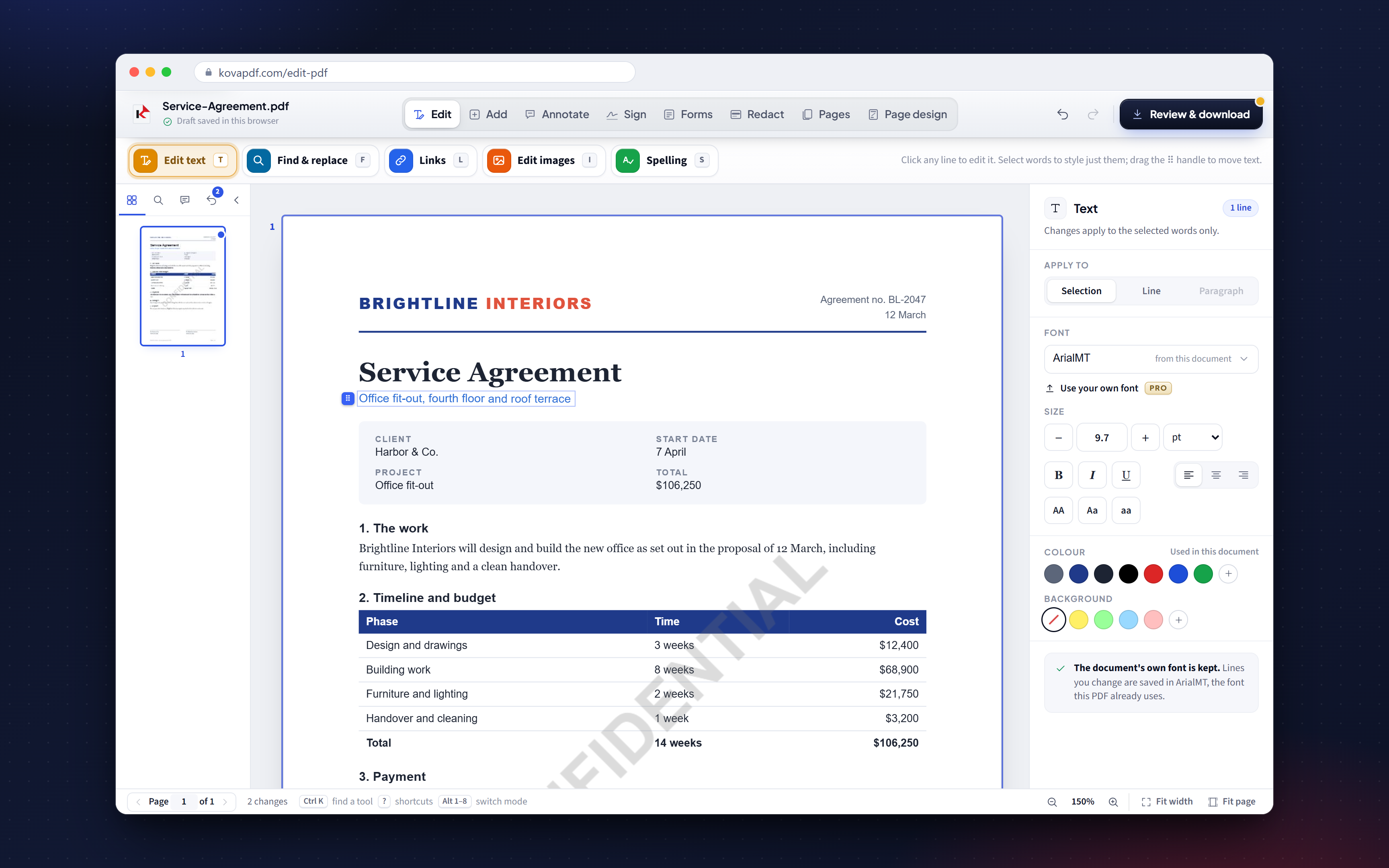
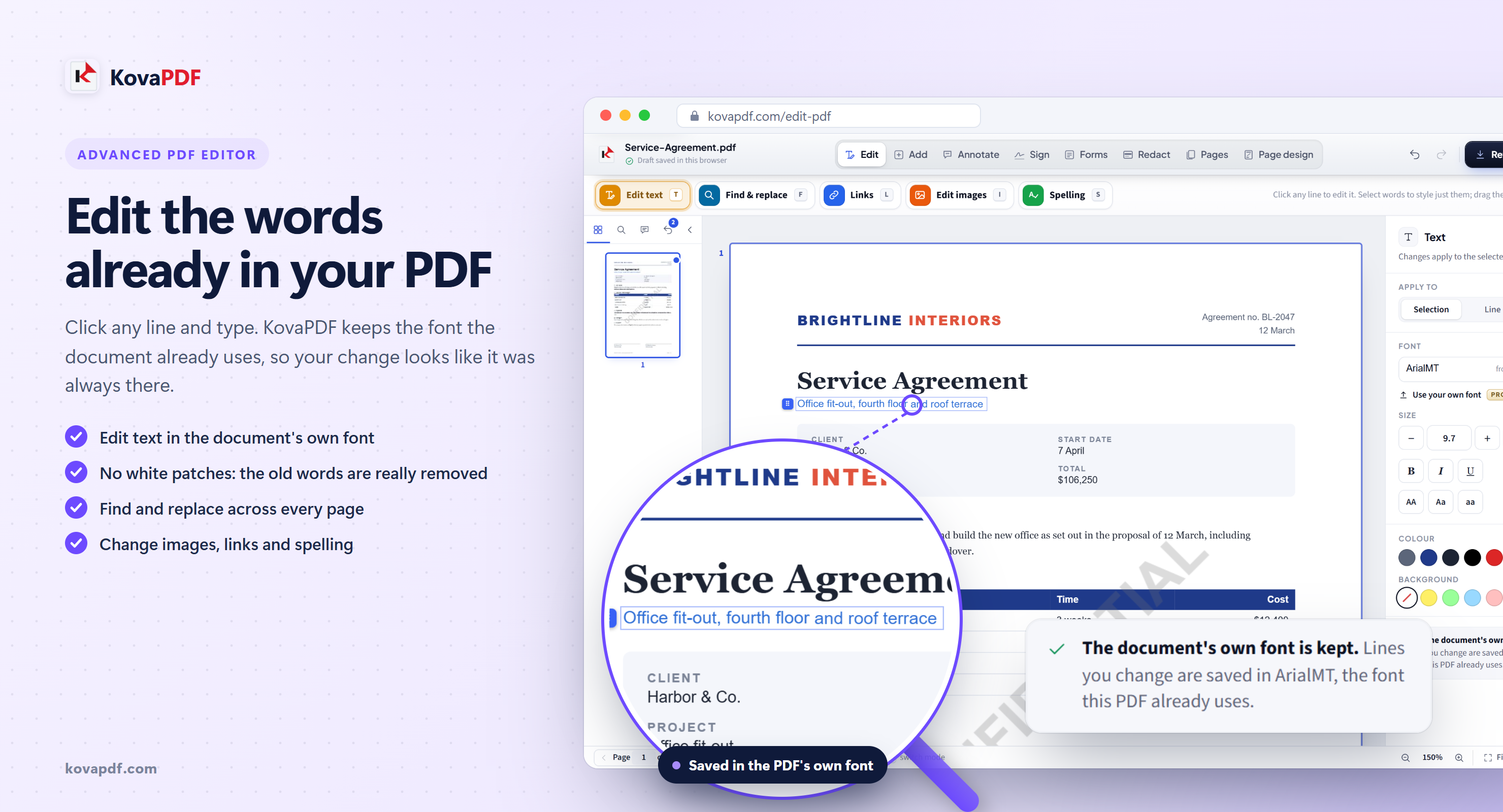
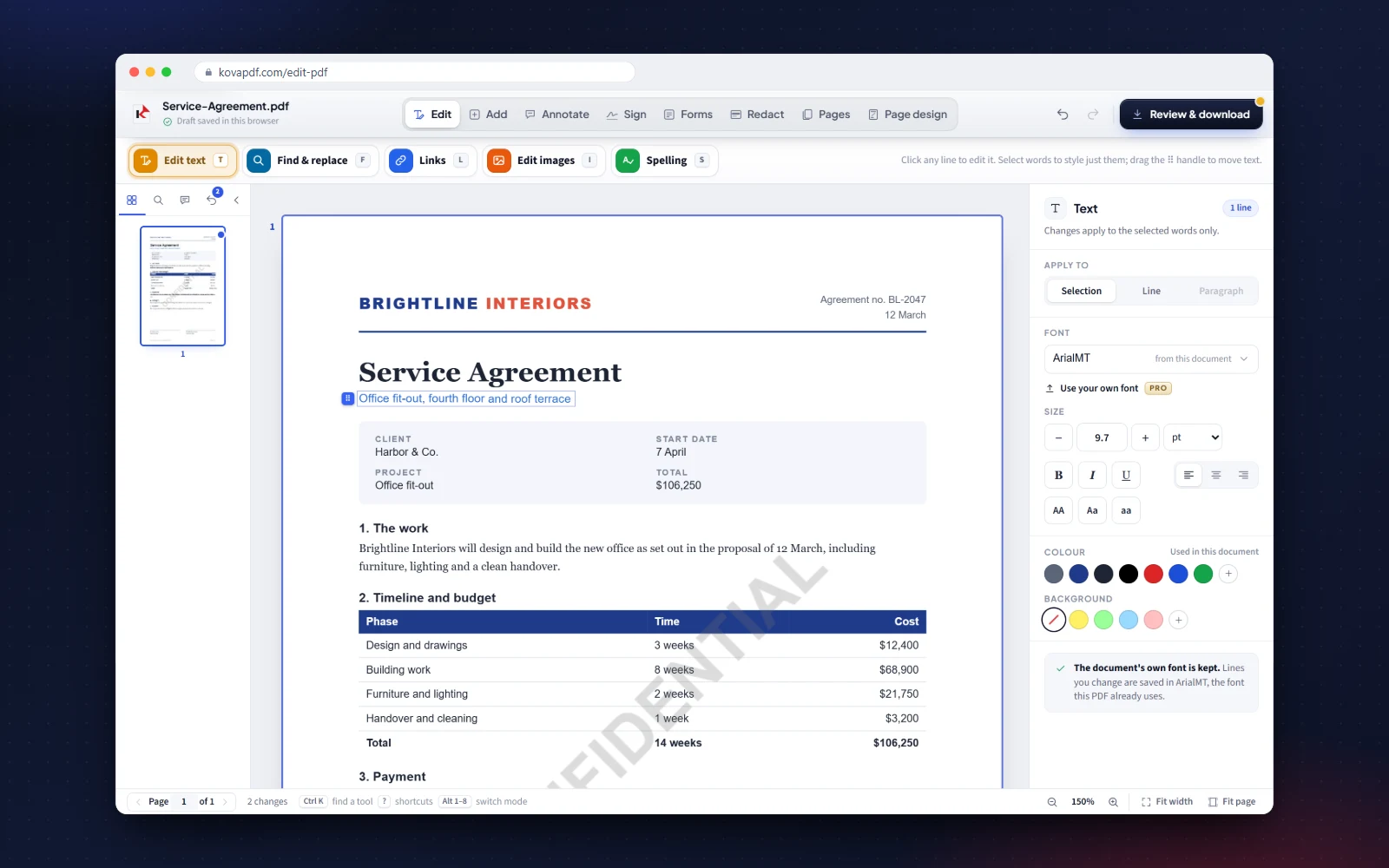
Click a line in any PDF and type. The change is saved in the document's own font, with no white box on top.
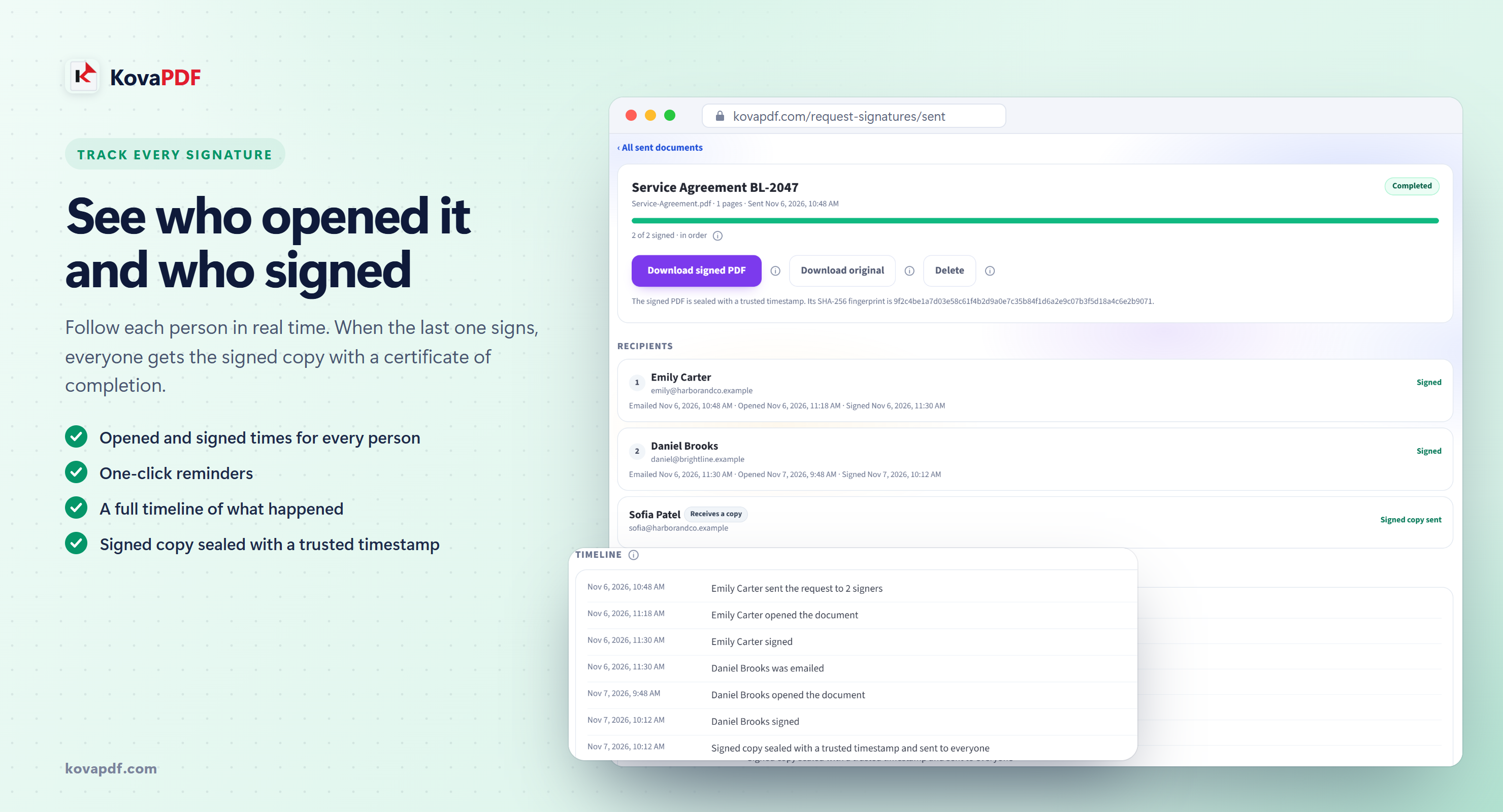
Request Signatures
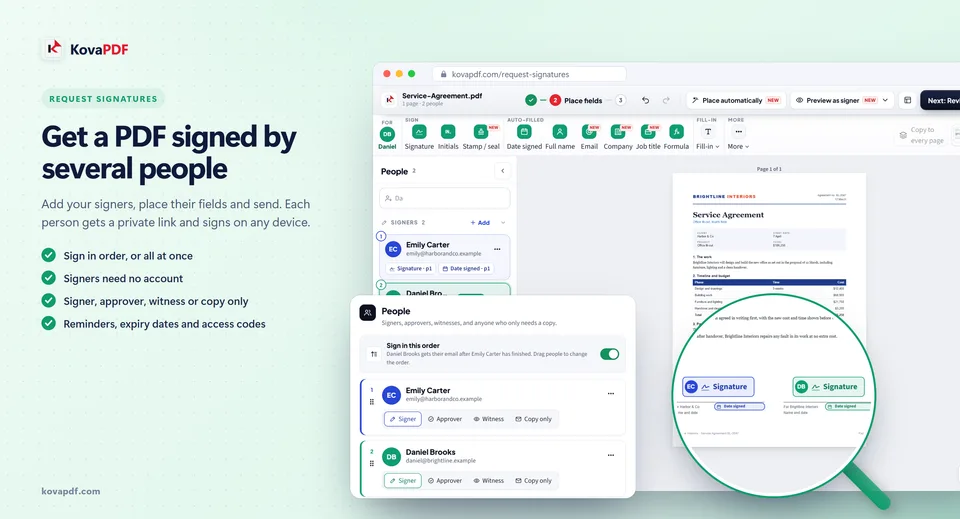
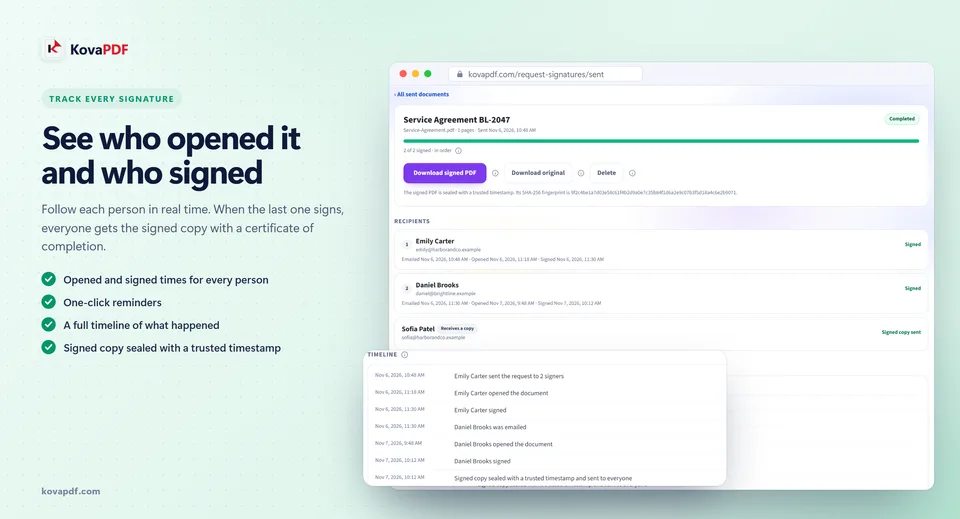
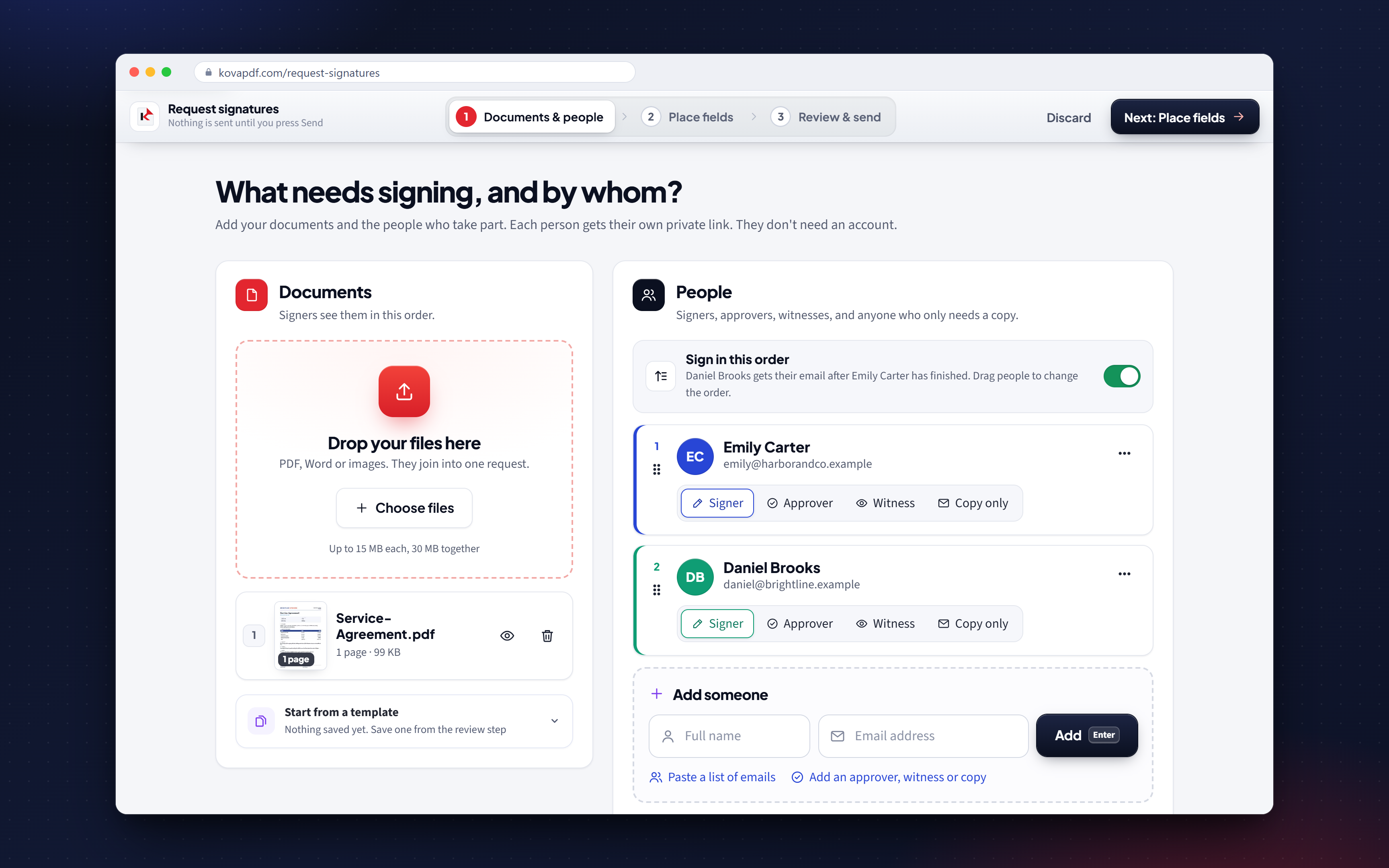
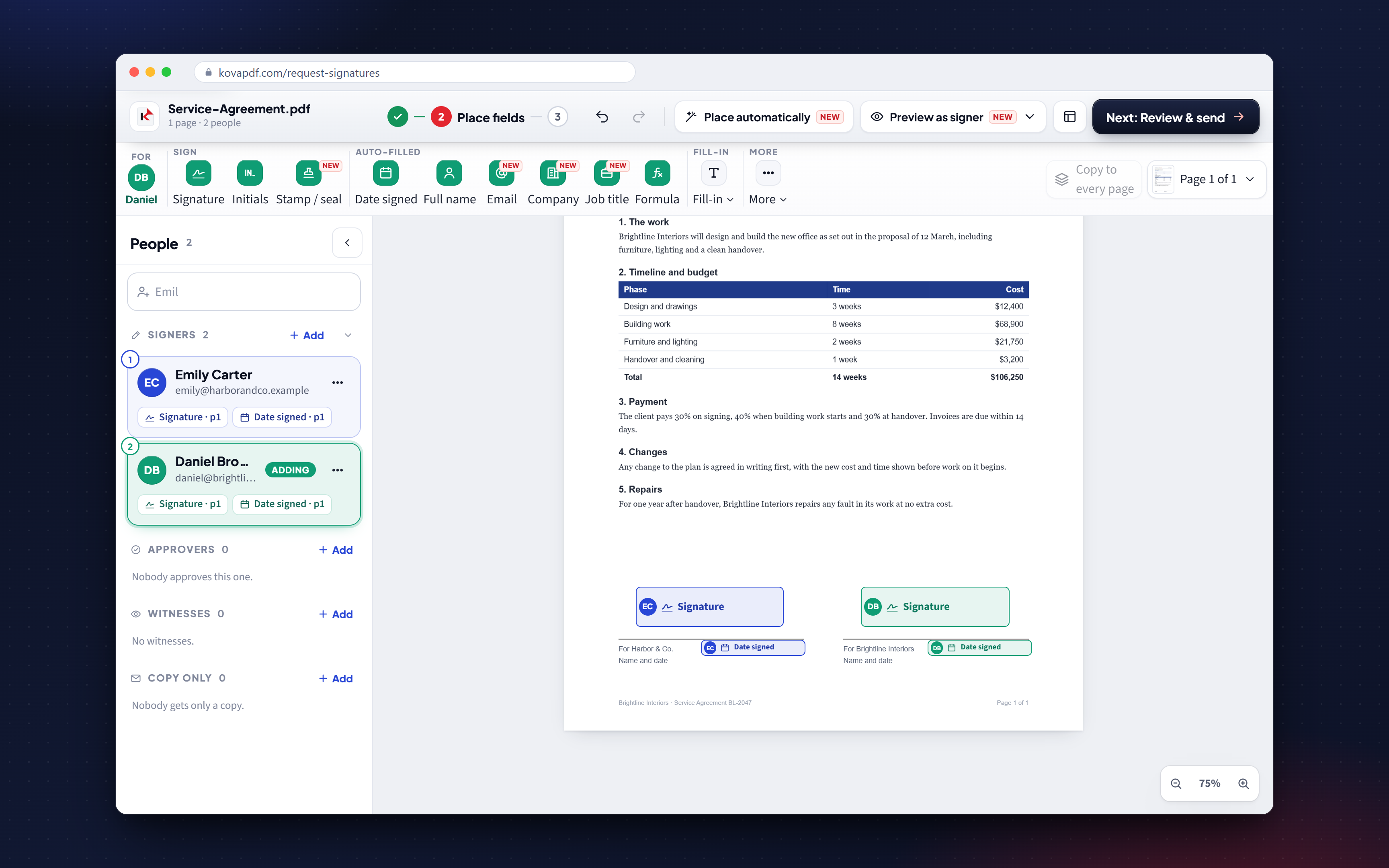
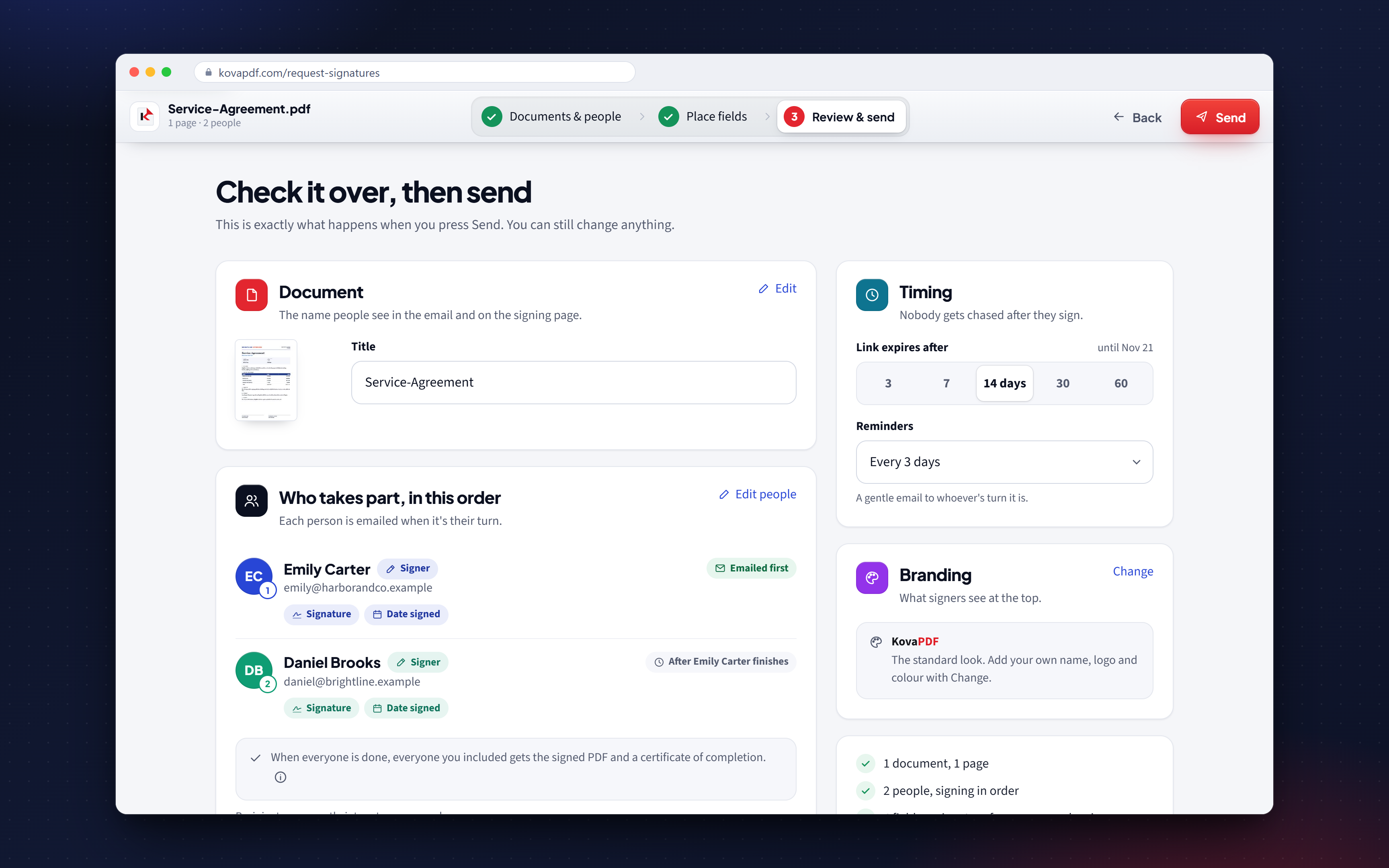
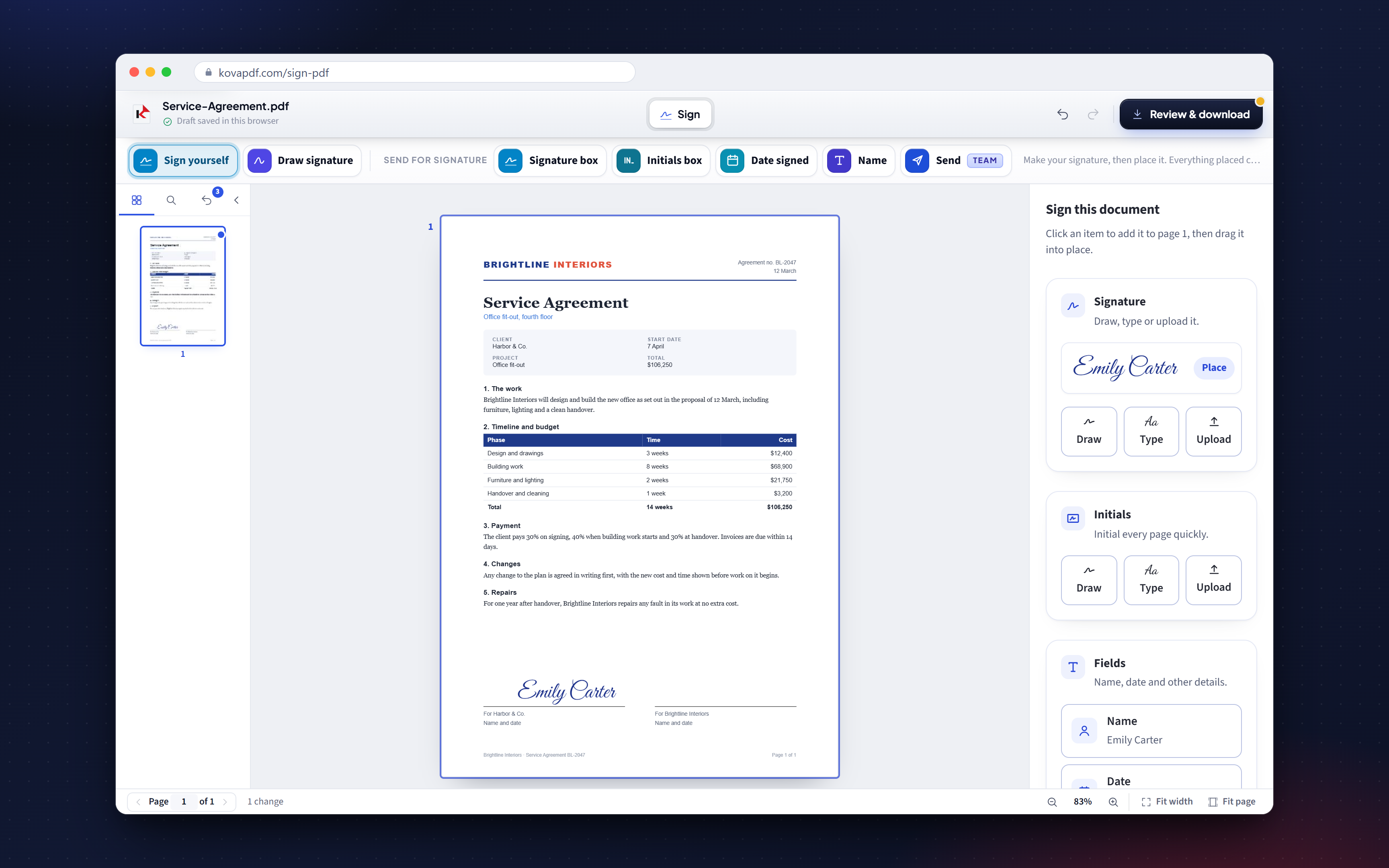
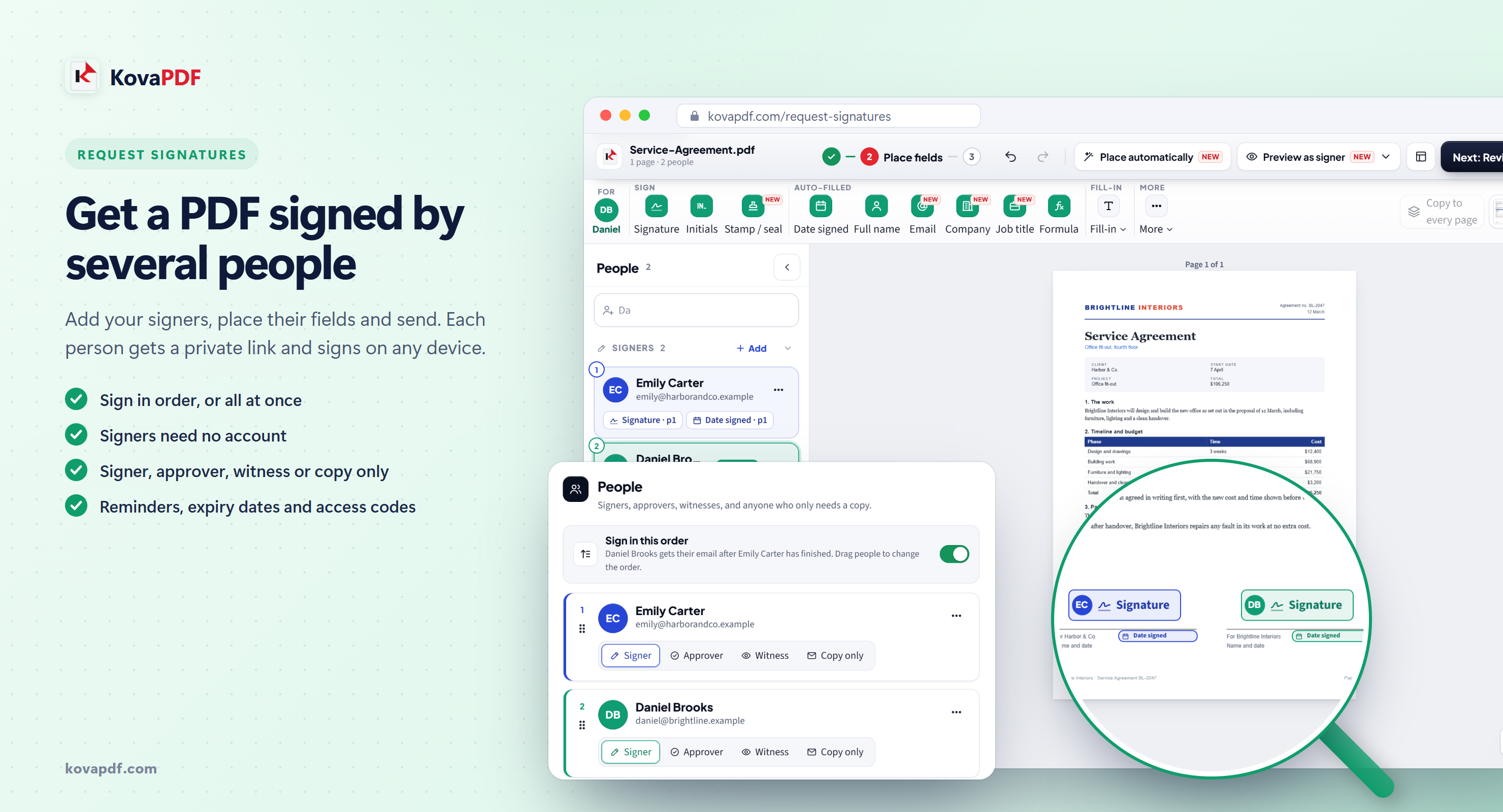
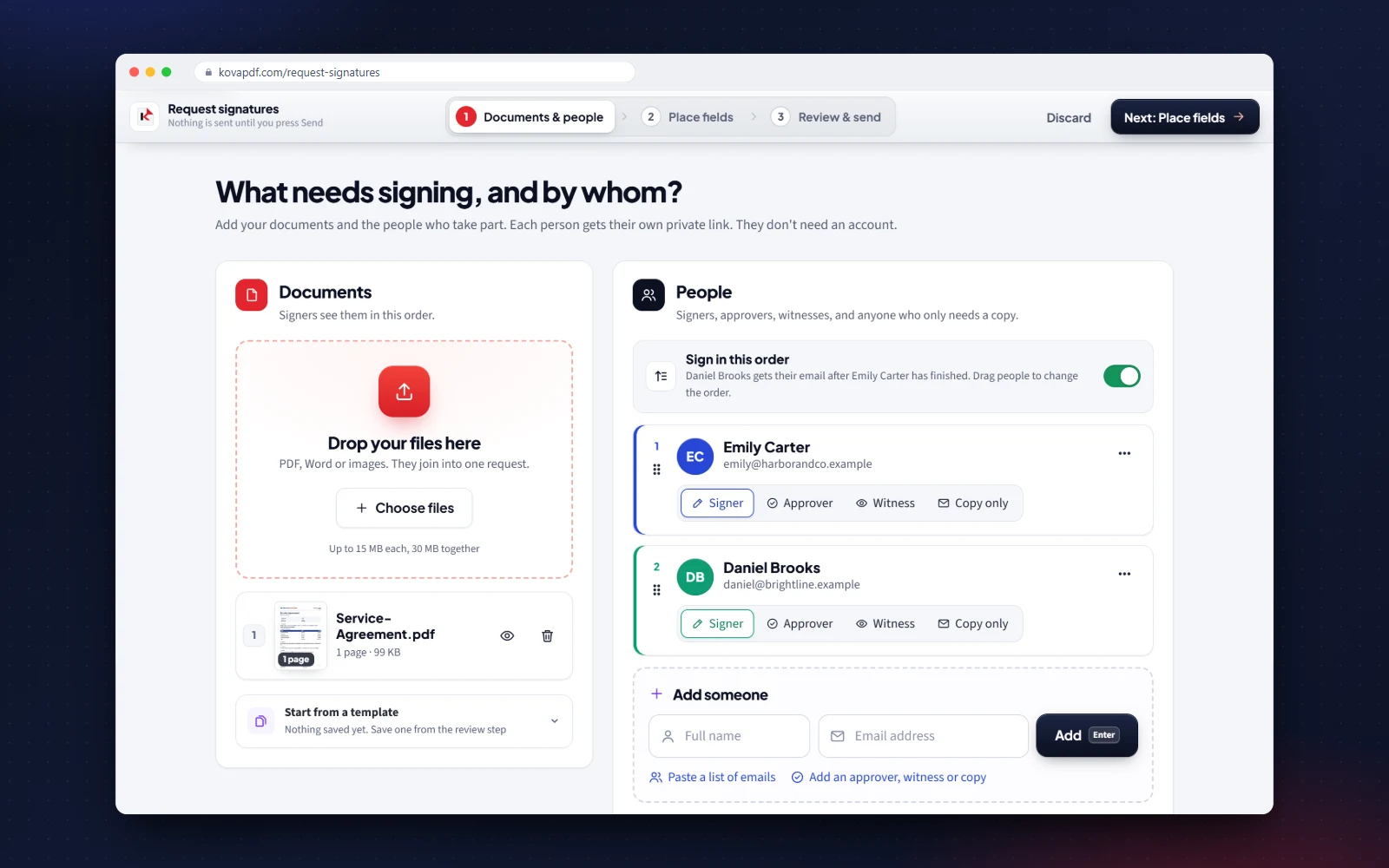
Signers, approvers and witnesses, with reminders and a signed copy for everyone.
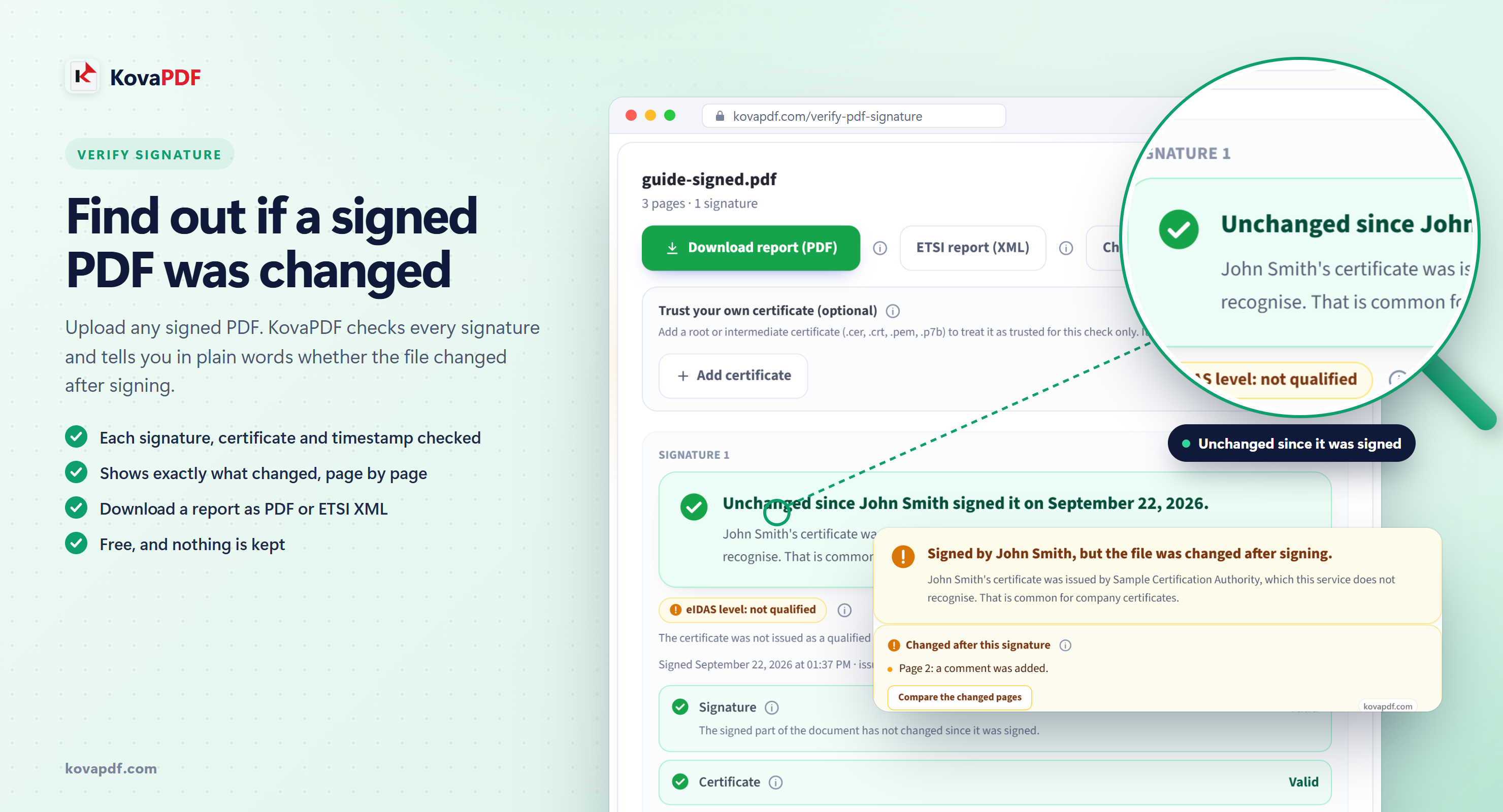
Verify Signature
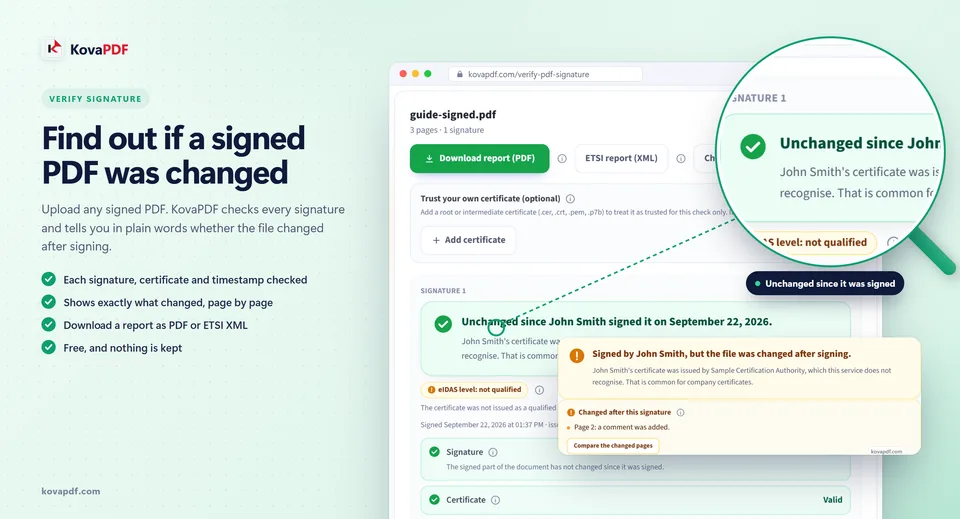
Open a signed PDF and see who signed it, when, and whether anything changed after.
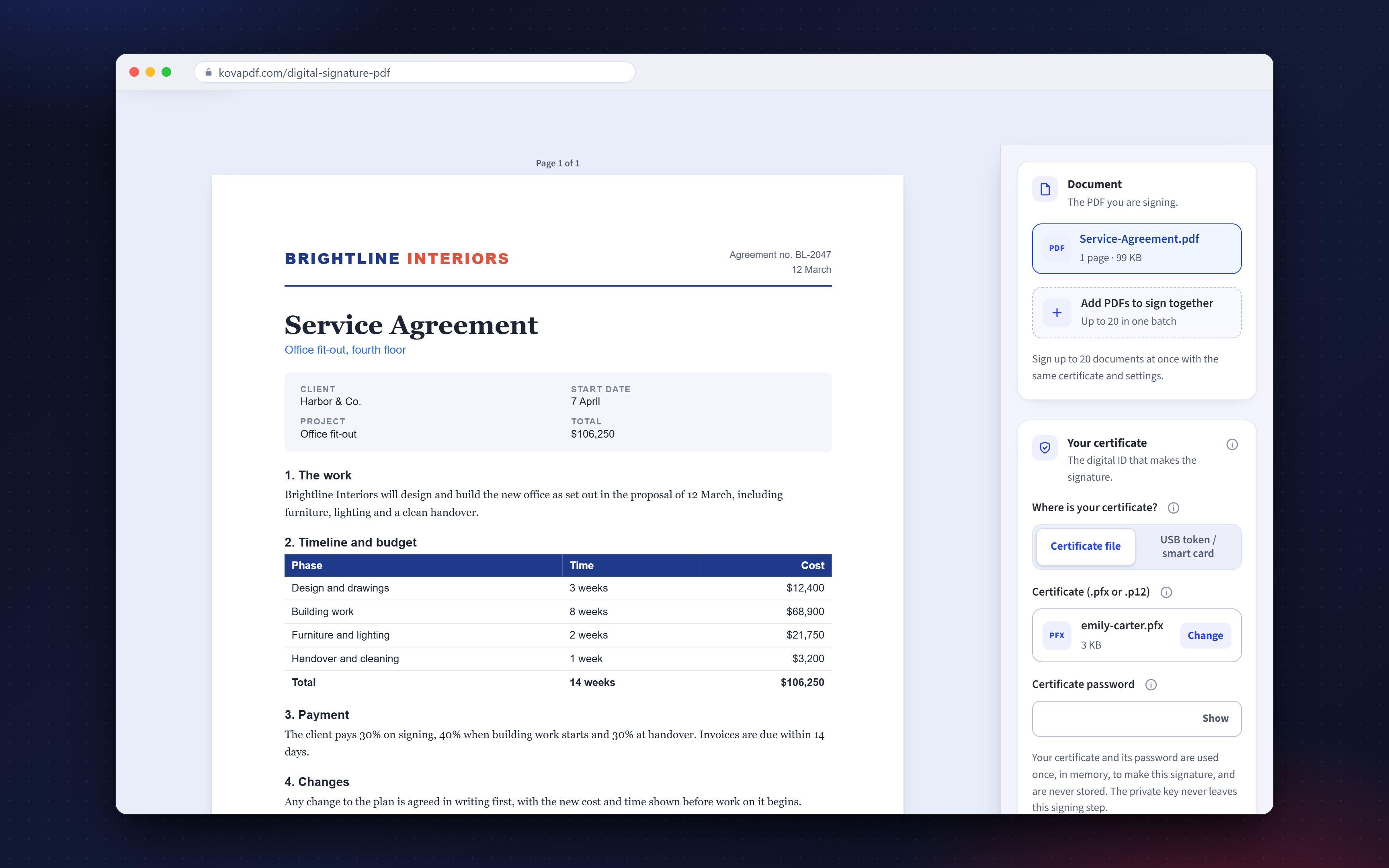
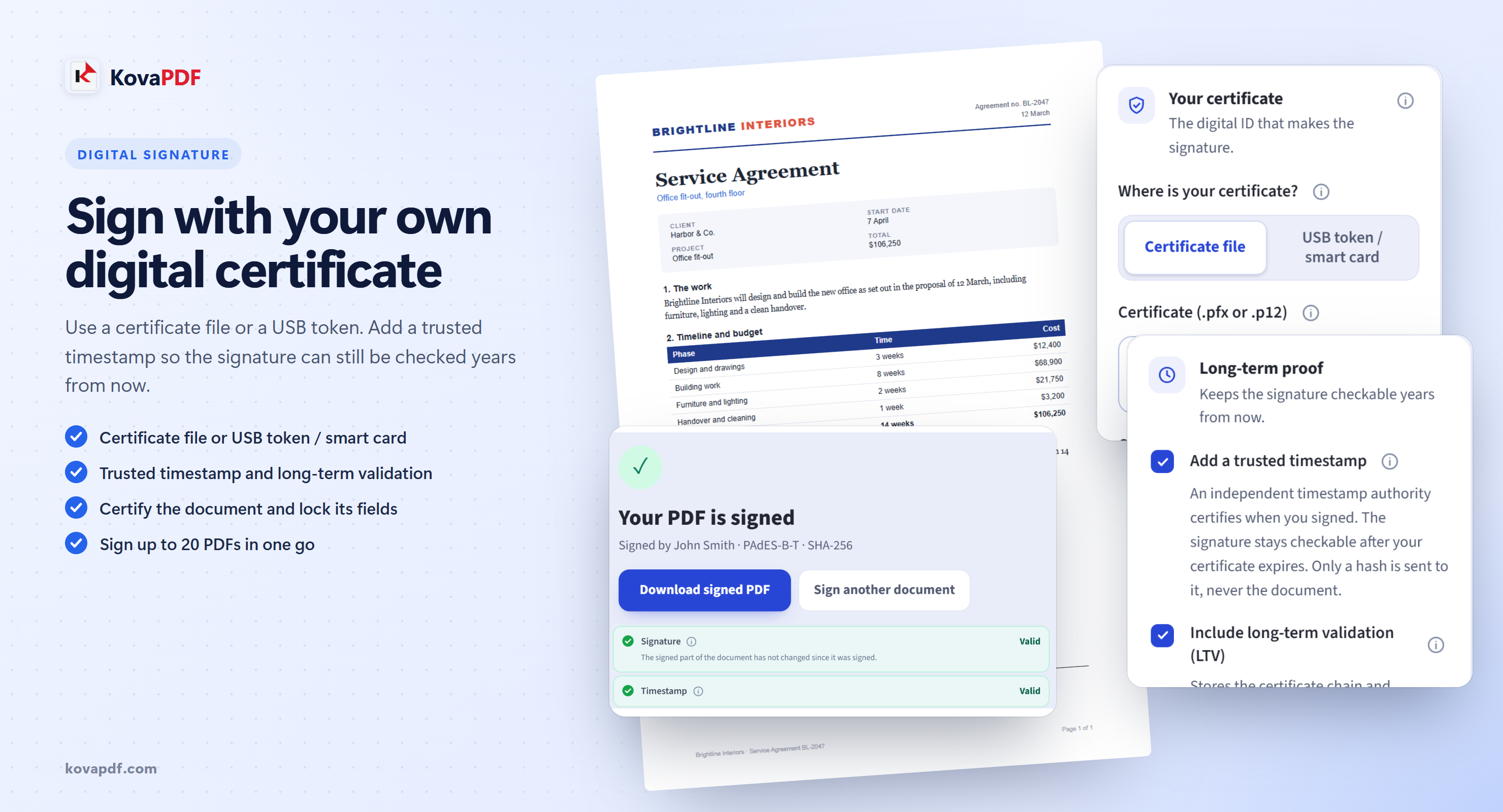
Digital signature
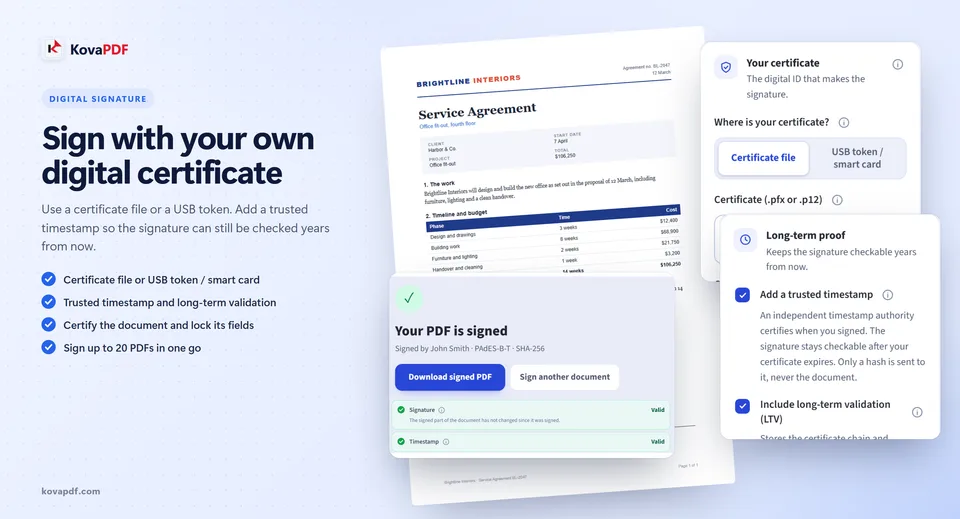
A signature that shows if the file is changed after signing.
Redaction
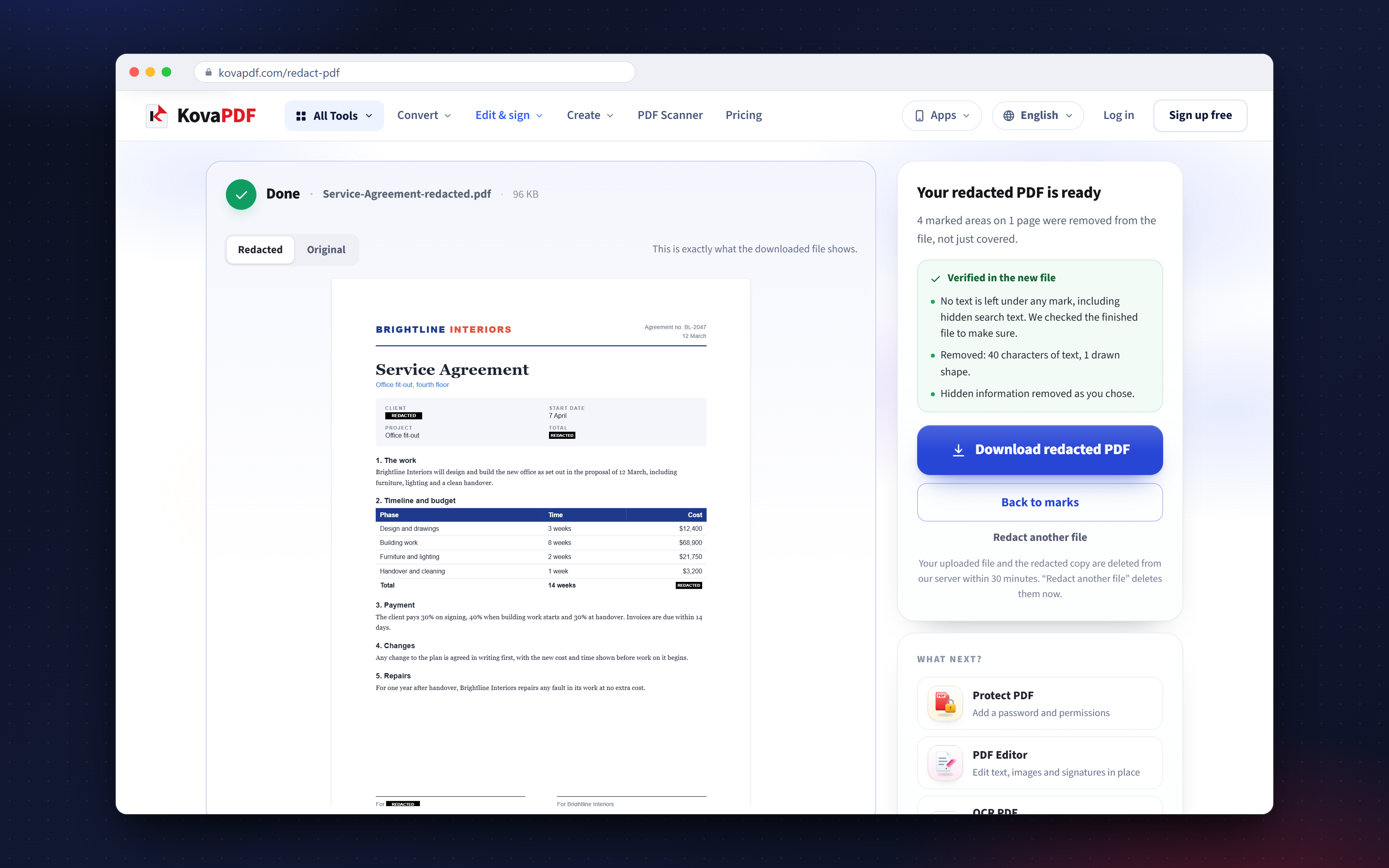
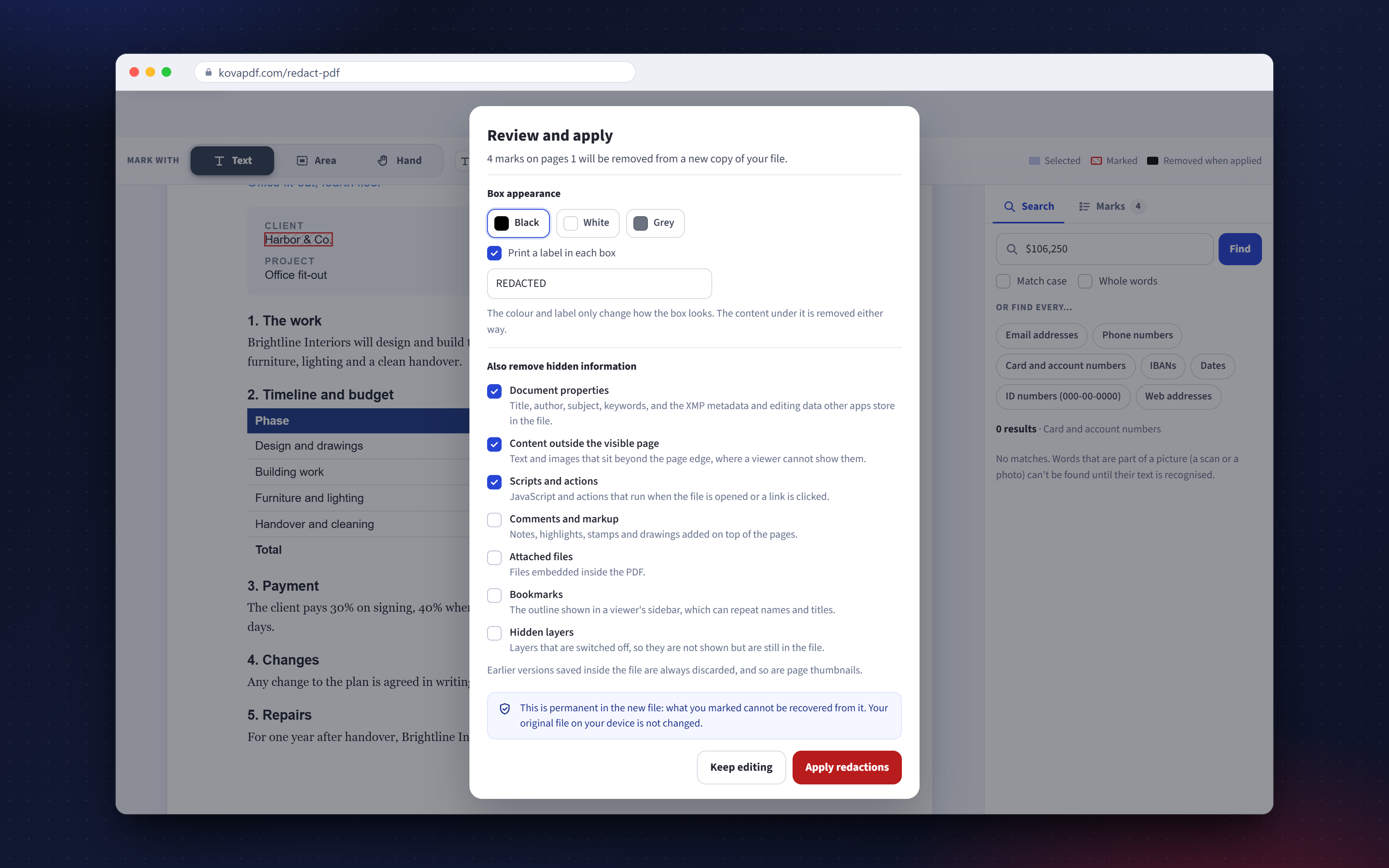
Redacted words, pictures and hidden copies are taken out of the file.
61 tools
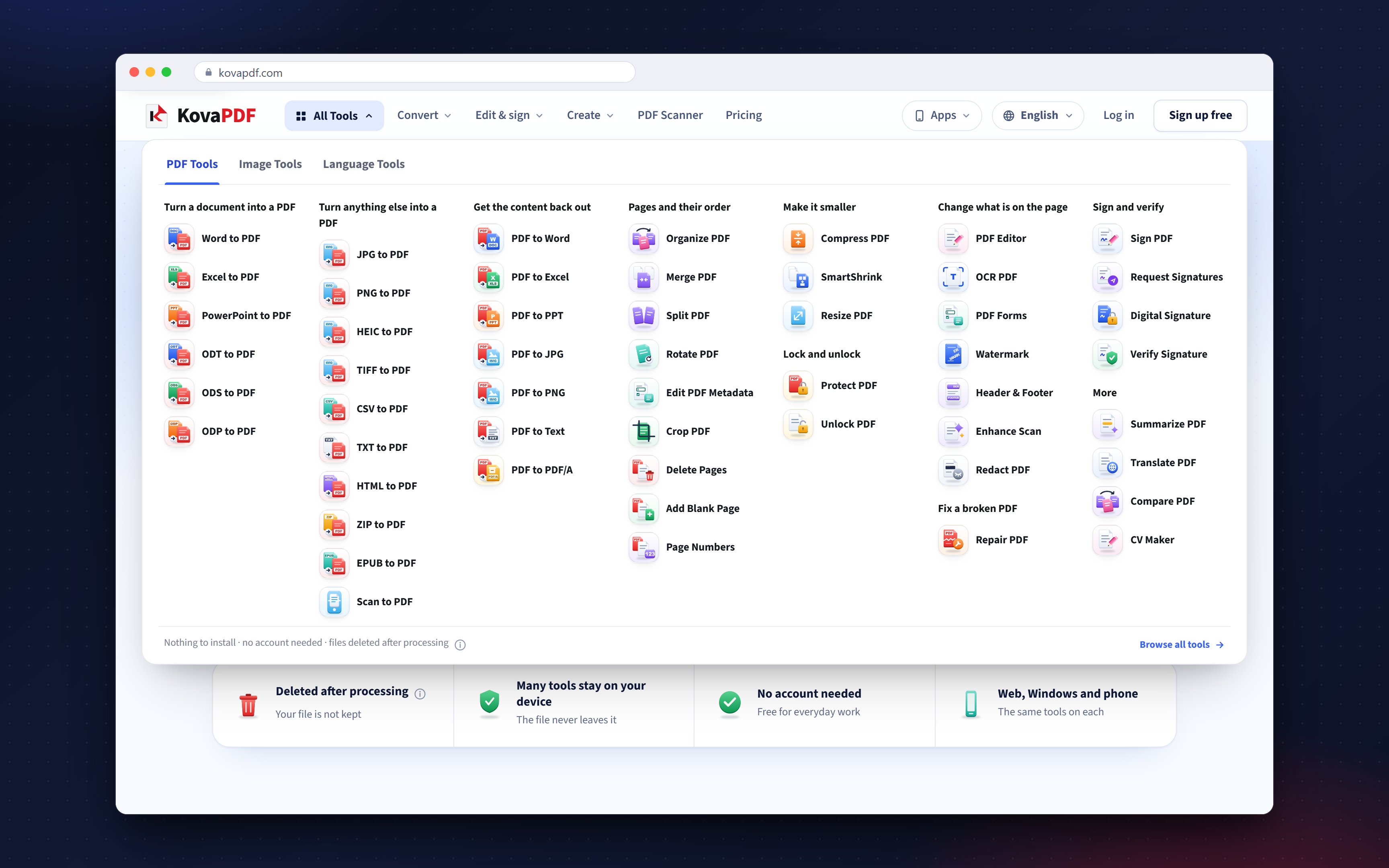
Word, Excel, PowerPoint and images to and from PDF, plus compress, merge, split, OCR and more.
27 languages
The whole website is in 27 languages, with the same tools in every one of them.
For developers
A Developer API lets your own software send PDFs for signature, sign with a certificate and check signatures.
Story ideas
We can share test files and show you how any of these works.
Some editing methods cover old words with a white box and leave them in the file. Anyone can check by copying the text out.
Ask us for test filesBlack boxes that can be copied away are a common cause of leaks. How to check a redacted file in ten seconds.
Ask us for a demoAn independent company serving people in 27 languages, on the web, Windows and Android.
Write to usPrivacy and security
The short version. The full details are in our Trust Center and Privacy Policy.
Files are deleted from our servers soon after the work is done. Documents sent for signing are kept while the request is open, then deleted.
Every upload and download travels over an encrypted connection.
Uploads are checked for viruses before any tool opens them.
Several tools work entirely in your browser, so the file stays on your device.
Screenshots
Real screens from the website with sample documents. Each one is a 3456 by 2160 PNG. Download one, or all of them in one ZIP.
The editor keeps the document's own font
Signers, approvers, witnesses and copies, in order
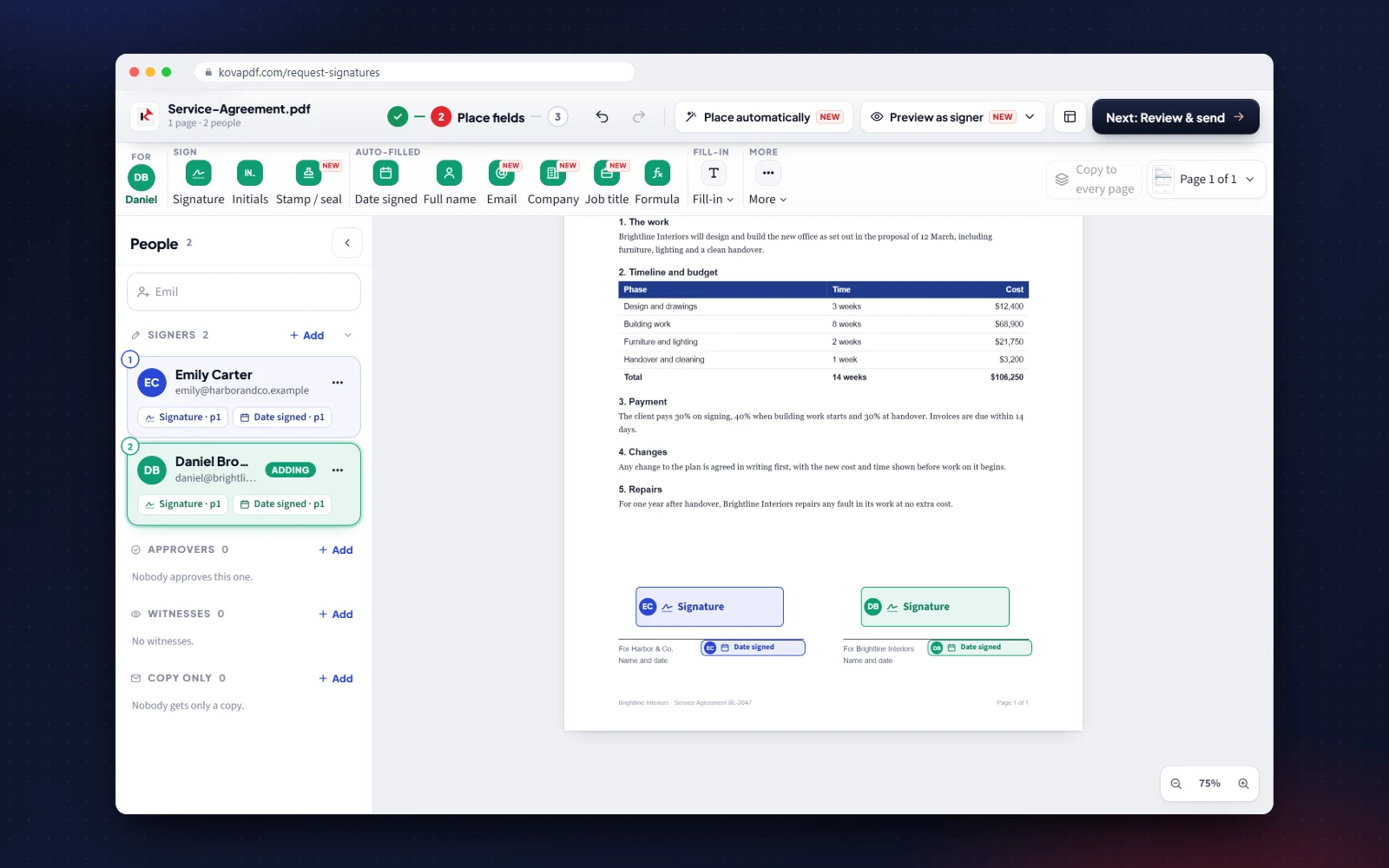
Signature, date, name and more for each person
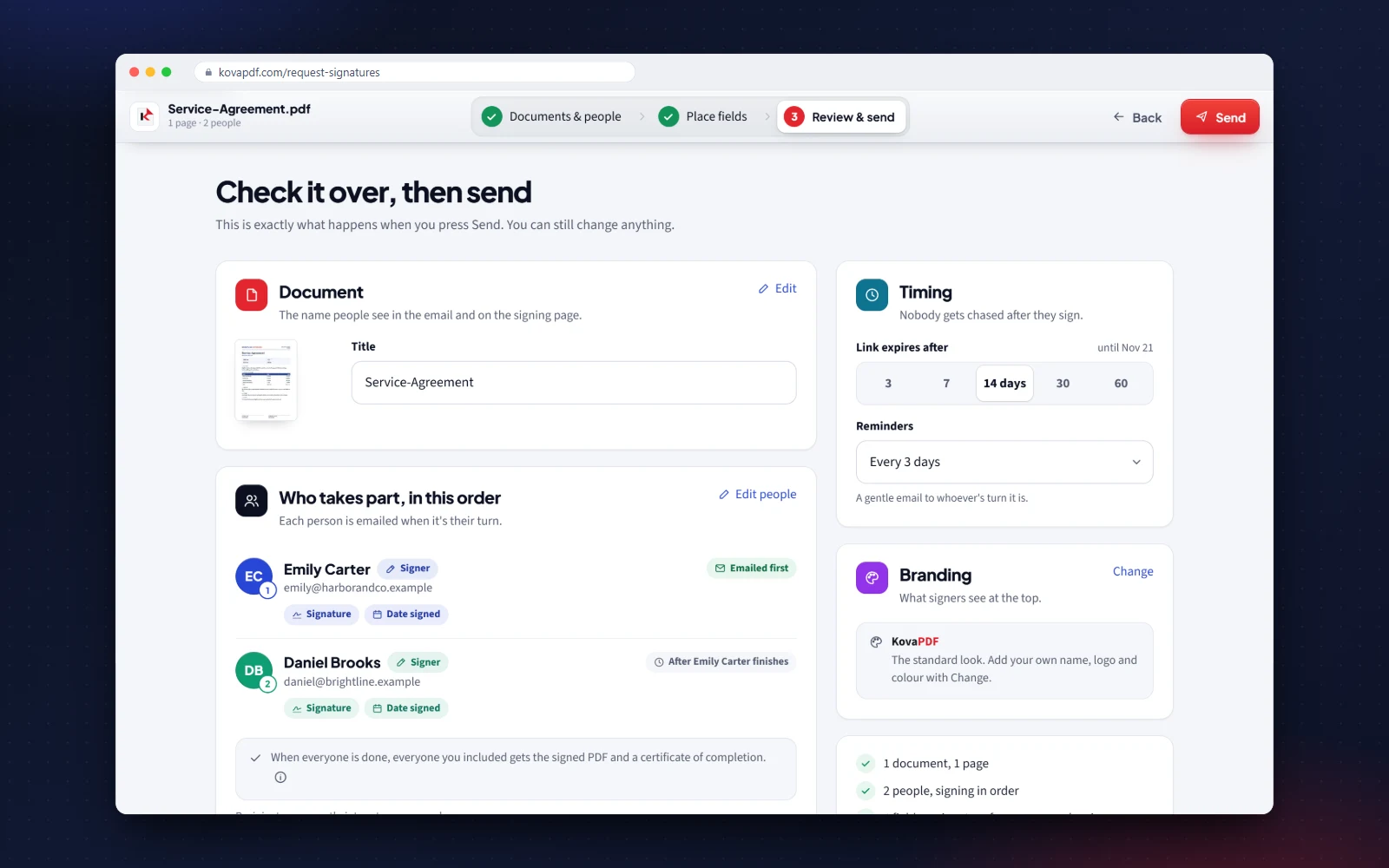
Reminders, expiry and branding before sending
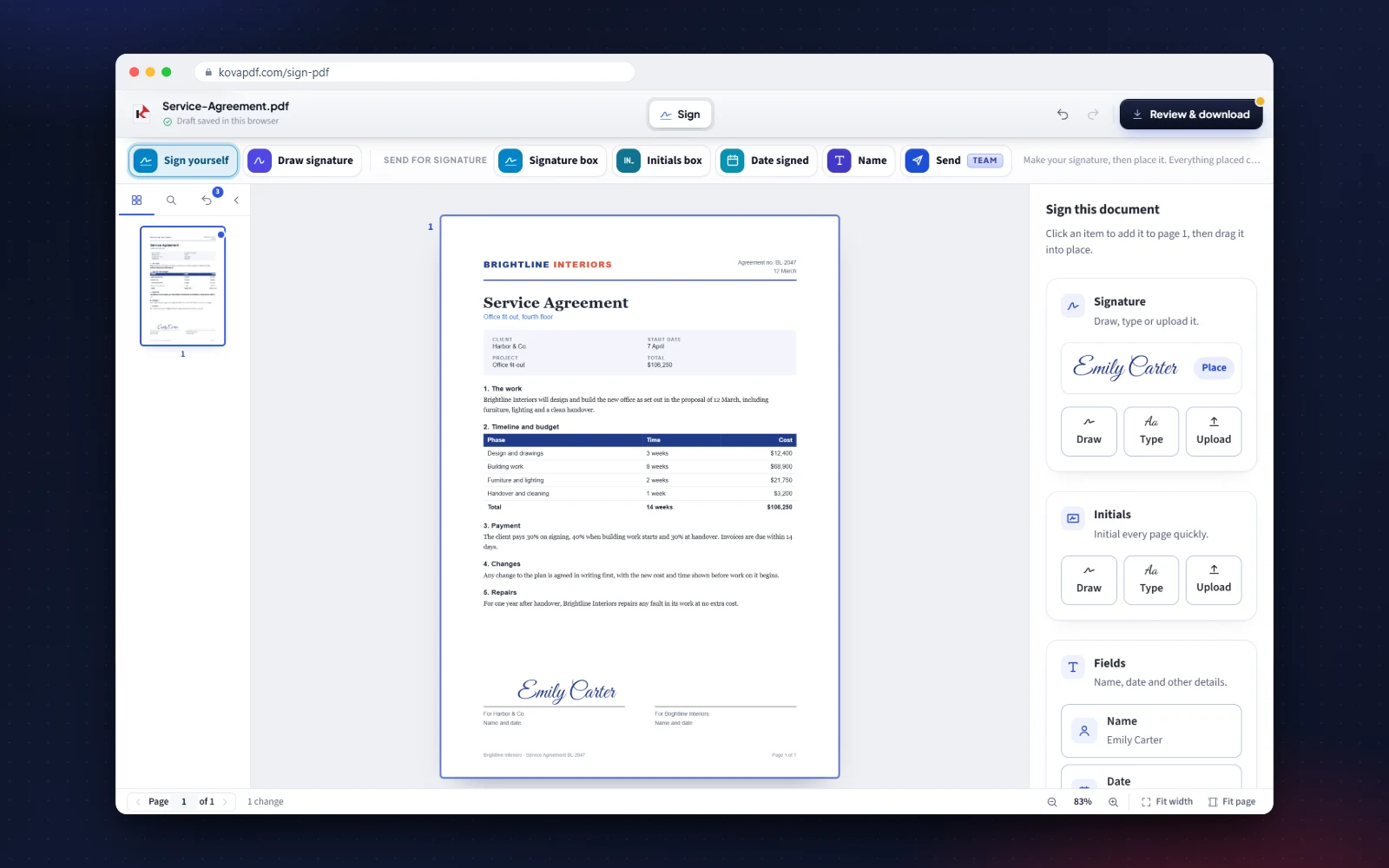
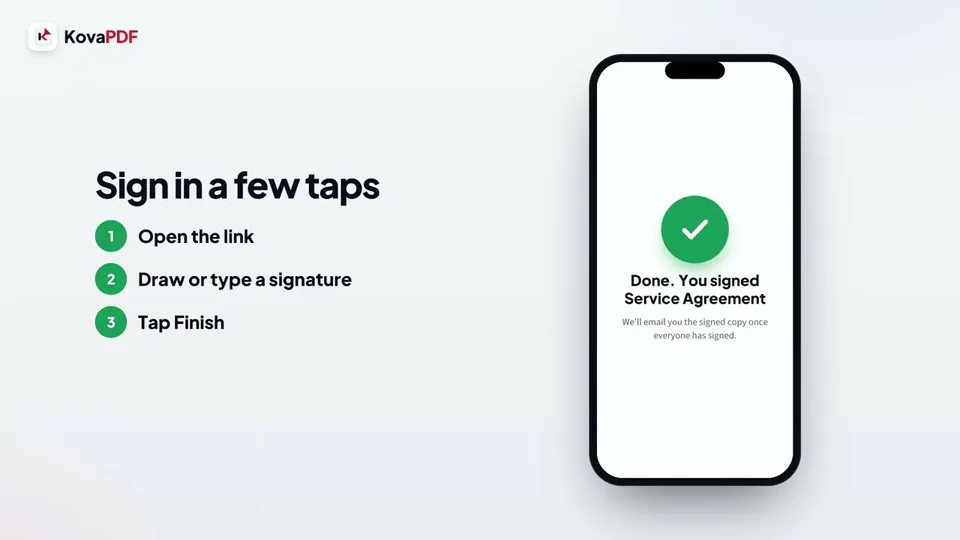
Draw, type or upload a signature
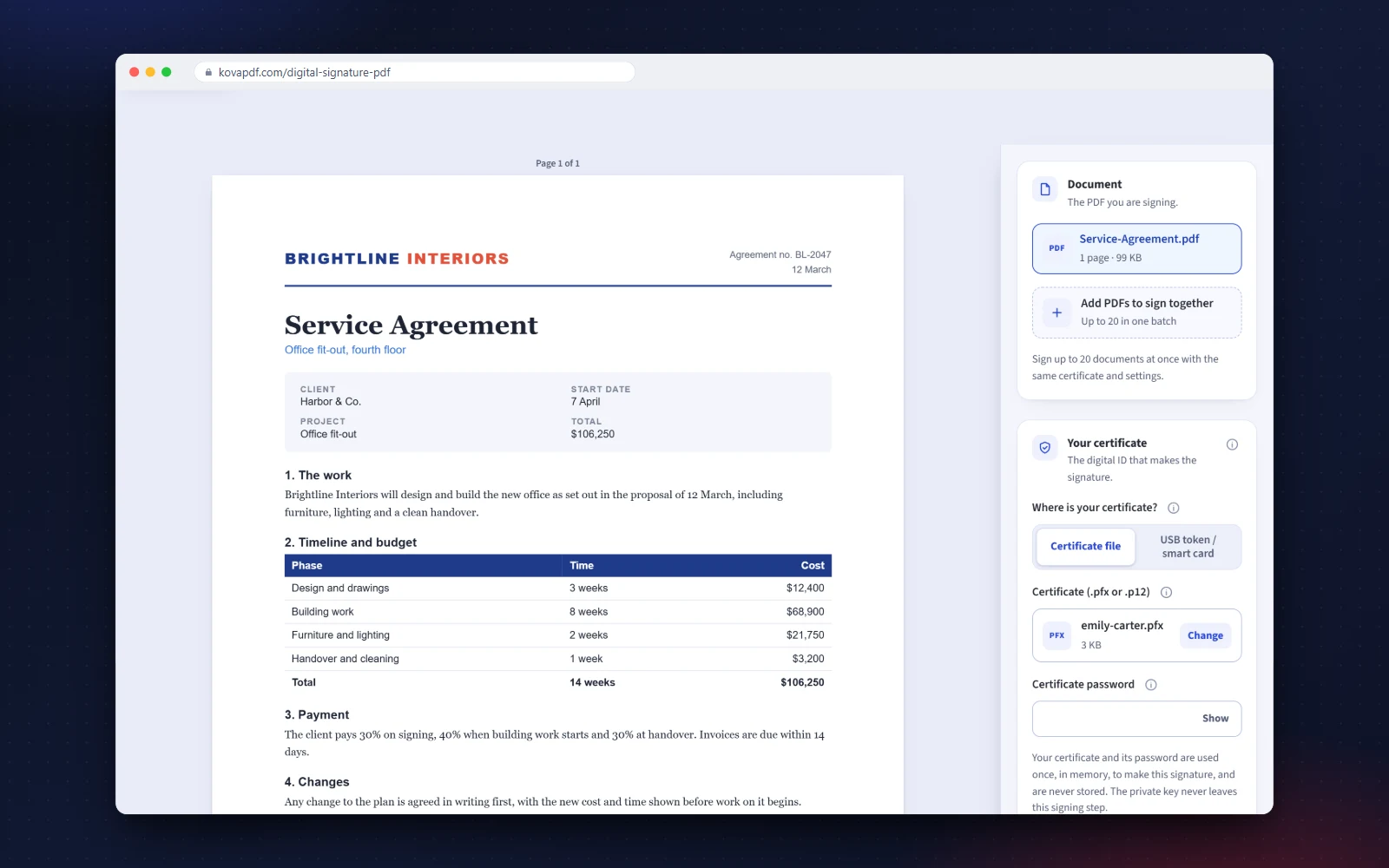
A signature that shows if the file changes later
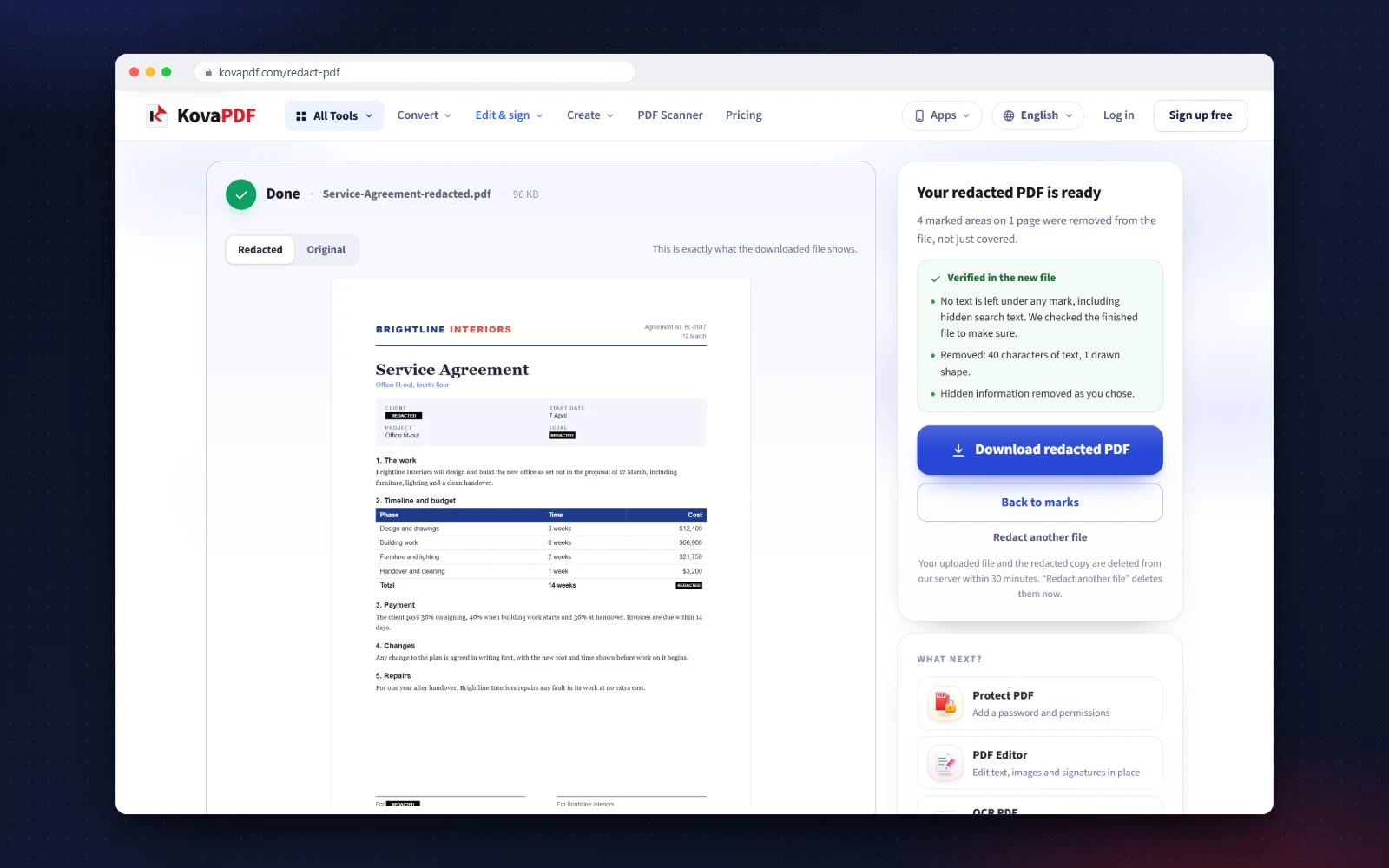
The removed words are gone from the file
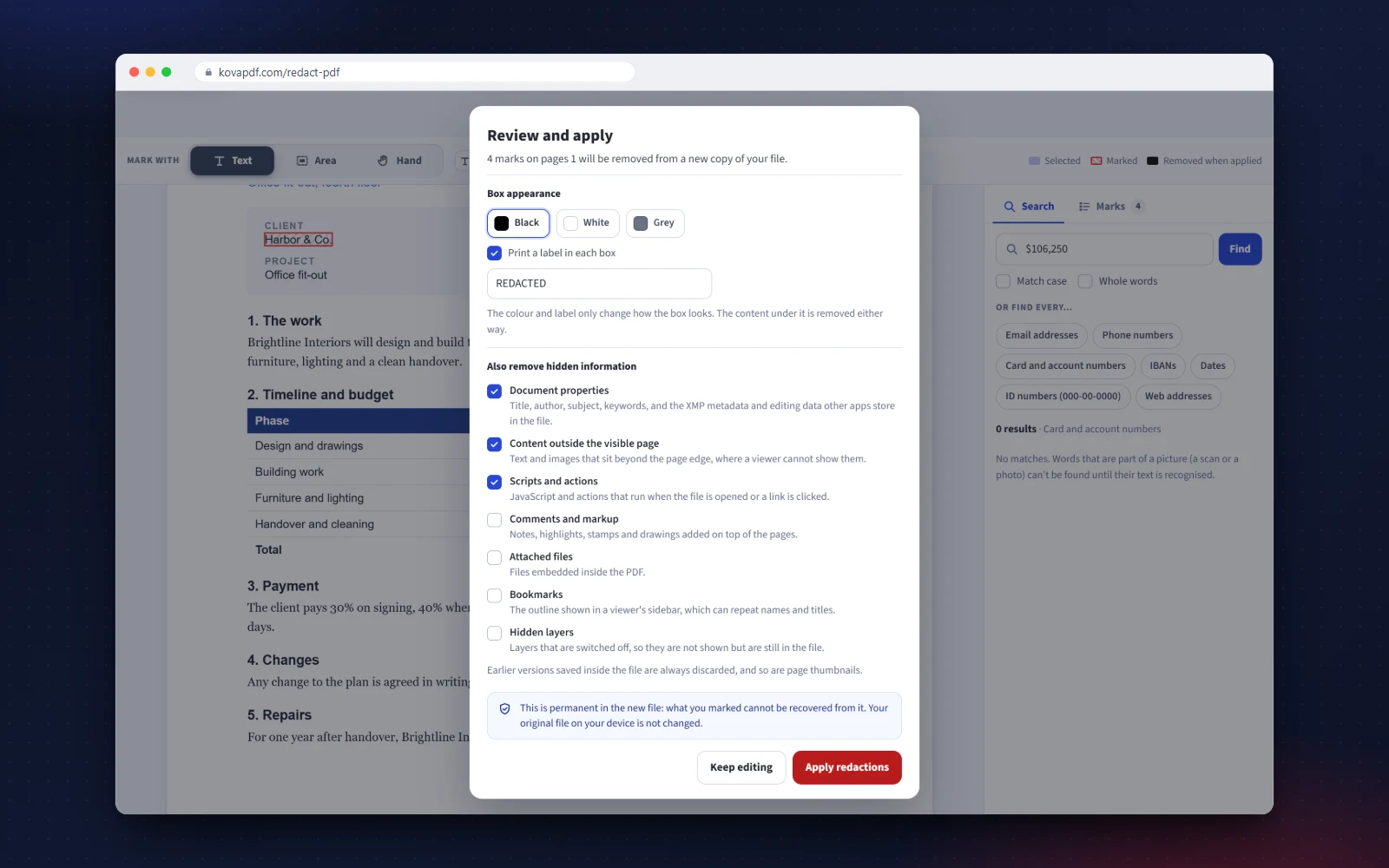
Hidden data, comments and metadata removed too
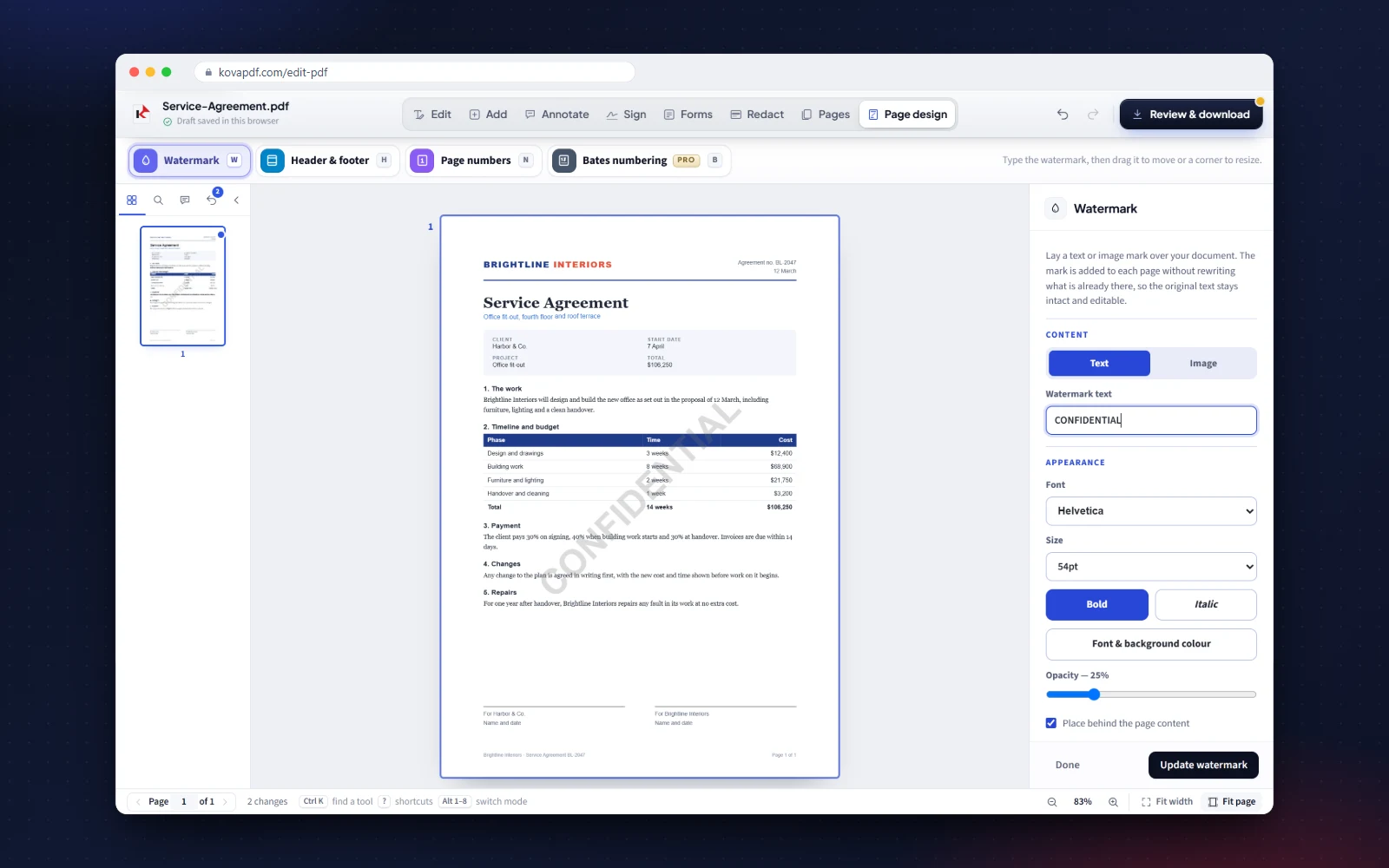
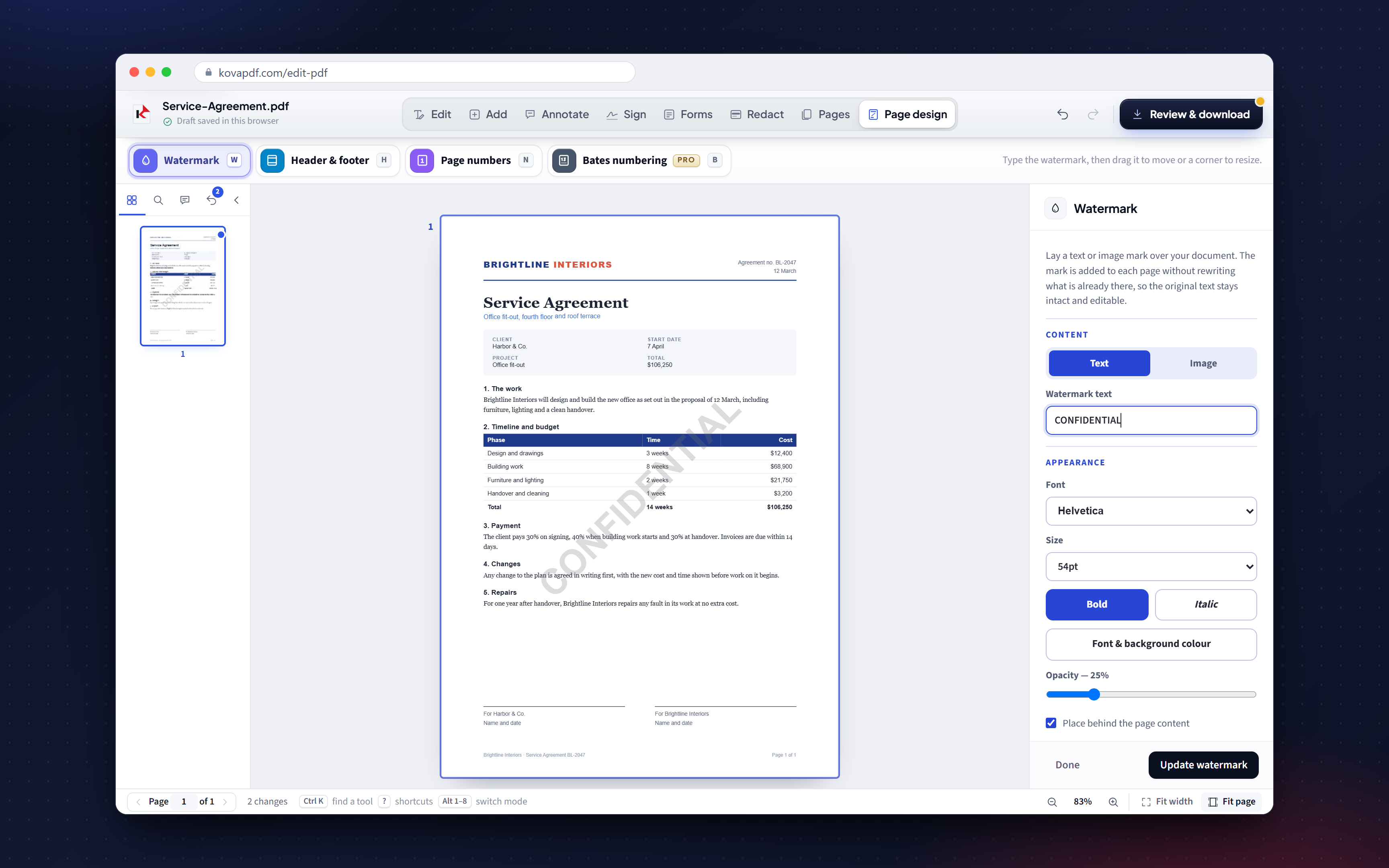
Watermarks, headers, footers and page numbers
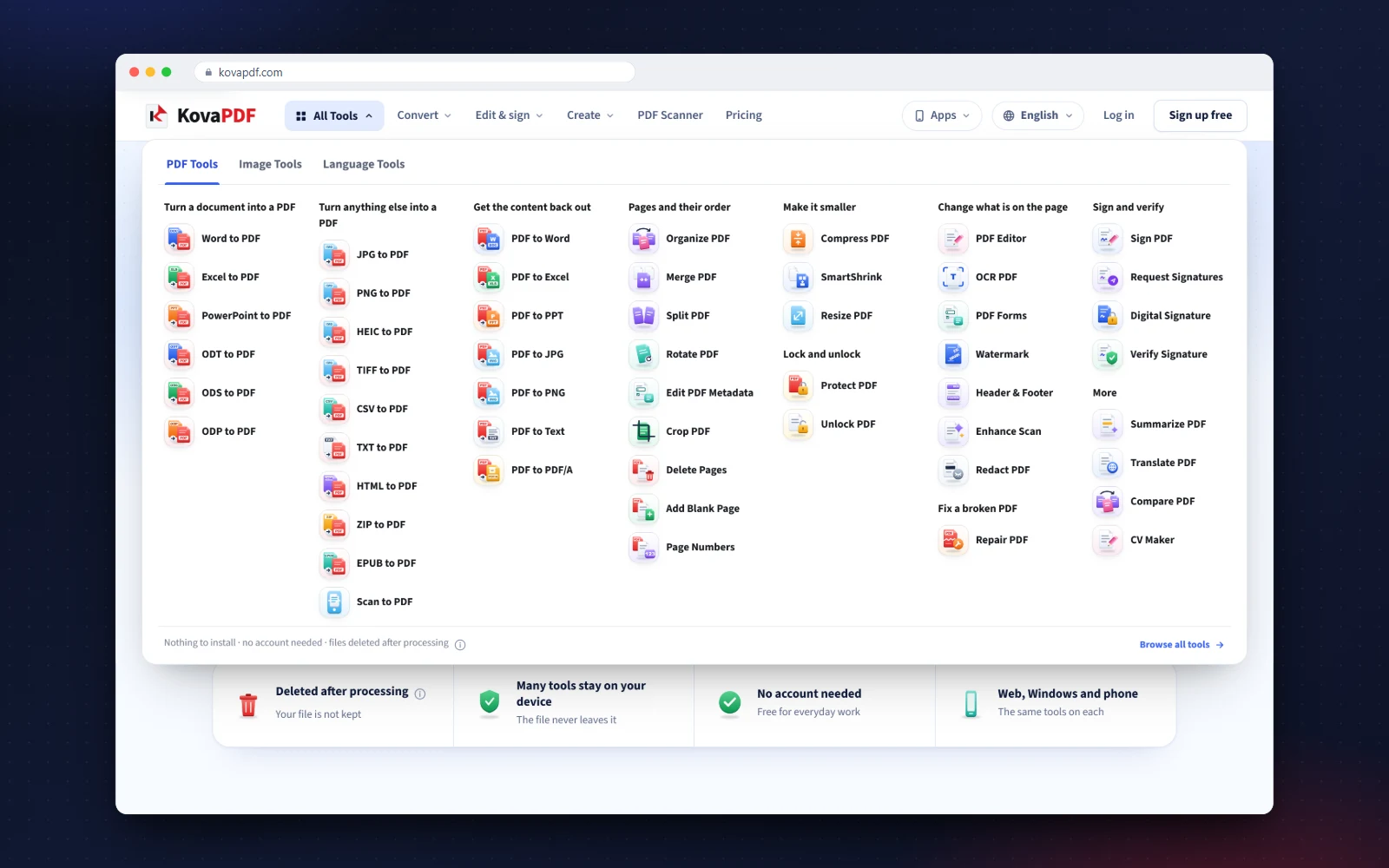
Convert, edit, sign, organise and more
Videos
Short videos from our own YouTube channel. Each one opens on YouTube.
Apps and integrations
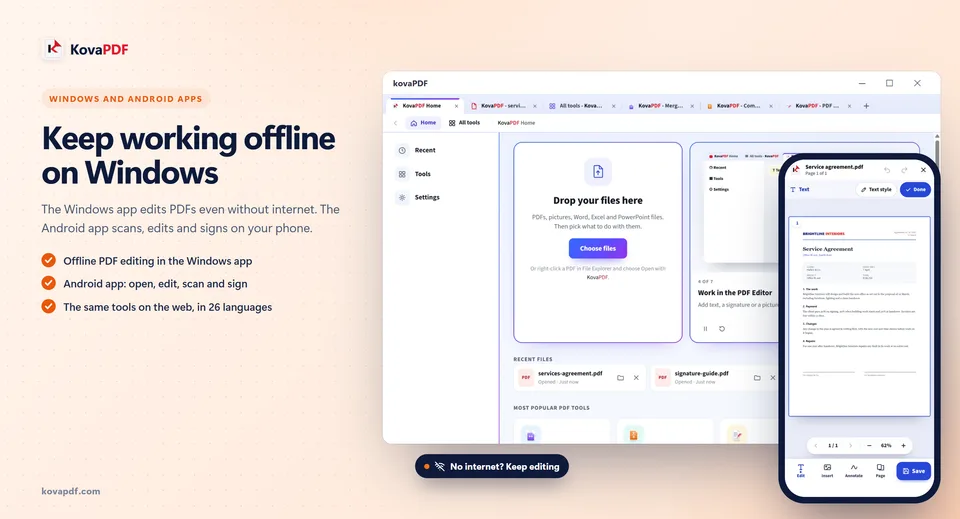
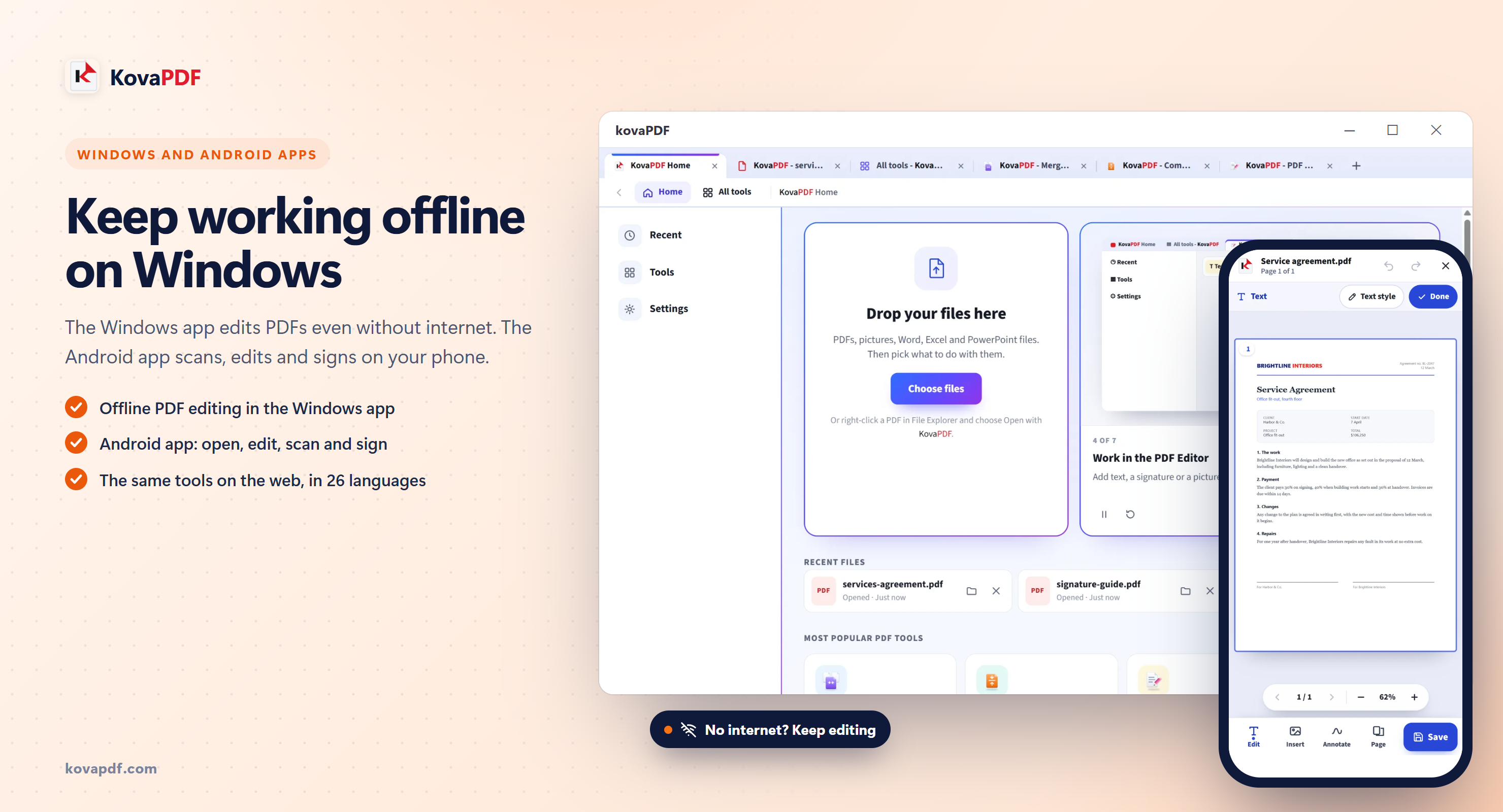
Every tool in any modern browser, on a computer or a phone. Every tool works without an account.
www.kovapdf.comBrand
SVG for print and the web, PNG up to 4096 pixels wide. Keep space around the logo equal to the height of the mark's corner fold.
Stretch or squash the logo
Change its colours
Rotate or tilt it
Add shadows or effects
Put it on a busy picture
Use it in your own product name
The facts
Need a different screenshot, a quote or a demo? Write to us. We usually reply within one working day.