PDF to PDF/A
Turn any PDF into PDF/A for long-term archiving. Your document is checked first, every change is explained in plain words, and the result is validated against the standard before you download it.
- Free to use
- Works on any device
- Nothing to install
- Checked before anything changes
- PDF/A-1b, 2b, 2u, 3b and 3u
- Validated before you download
- Every change explained
PDF/A
Drag & drop file here
or choose a file from your device
Upload the PDF you want to archive
PDF · up to 80 MB · checked before anything changes
Everything PDF to PDF/A can do
Turn a PDF into an ISO 19005 archival file that is validated before you download it.
Standards
- PDF/A-2b by default, the standard most archives, courts and agencies accept
- PDF/A-1b for older systems, PDF/A-2u and 3u when the text must stay searchable
- PDF/A-3b and 3u keep attached files of any type
- Every file is validated against the standard you chose; a file that fails is never handed out
Before converting
- Checks fonts, colours, forms, scripts, attachments, signatures and security first
- Says in plain words what will change for the standard you picked
- Warns before a digital signature or an attachment is removed
Keeping your document the same
- Text stays selectable and searchable, and is compared before and after
- Files that only need fixing are fixed in place: form fields, links, bookmarks and tags stay
- Fonts that were not embedded are embedded with the closest match, keeping every line's spacing
- Images are never downsampled or re-compressed as JPEG
- Scanned pages keep their image quality; existing searchable text layers stay
Limits
- Up to 80 MB and 200 pages per file
- Password-protected PDFs need their password removed first with Unlock PDF
- Accessibility-tagged standards (PDF/A-1a, 2a, 3a) and PDF/A-4 are not offered
How it works
PDF to PDF/A in three steps
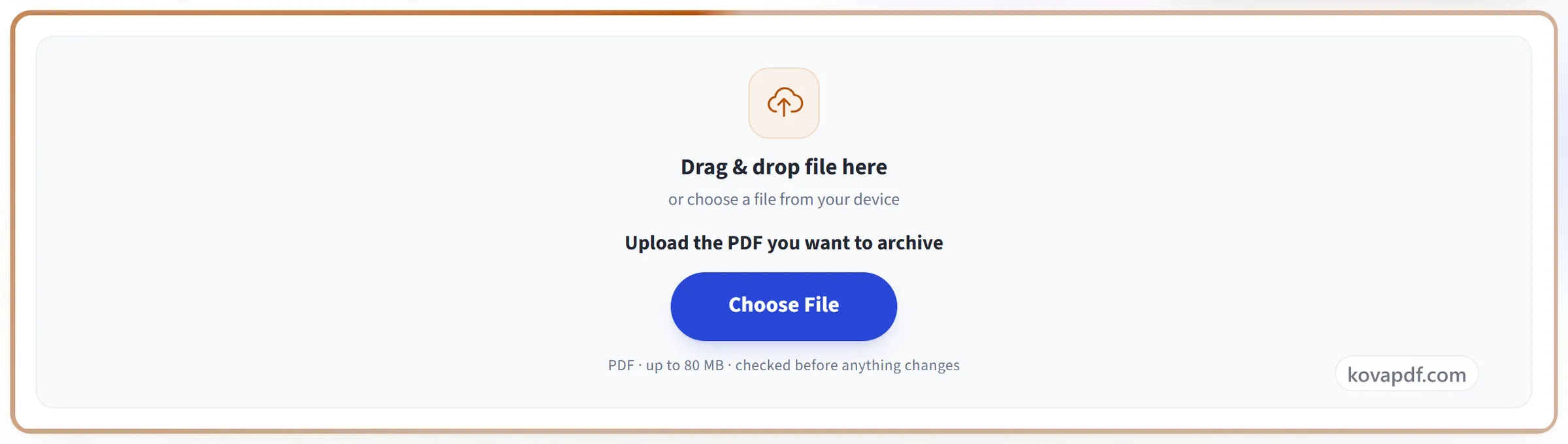
Upload your PDF
Drag the .pdf onto the panel, or click it to pick one. It is checked straight away: fonts, colours, forms, scripts, attachments, signatures and security.
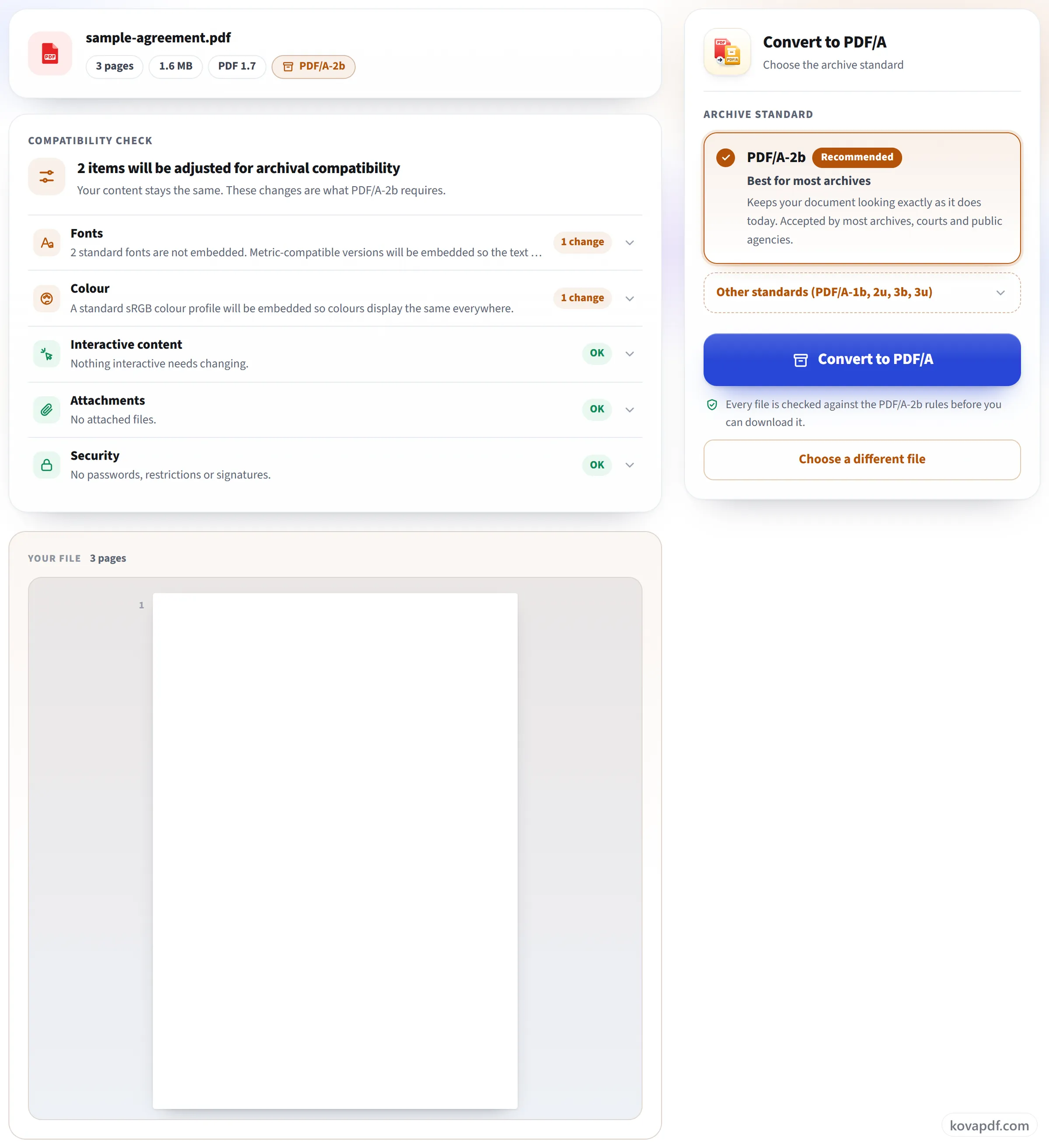
Read the check, keep the recommended standard
The compatibility check says what will change in your document, in plain words. PDF/A-2b is already selected because most archives accept it; open Other standards if you need PDF/A-1b, 2u, 3b or 3u.
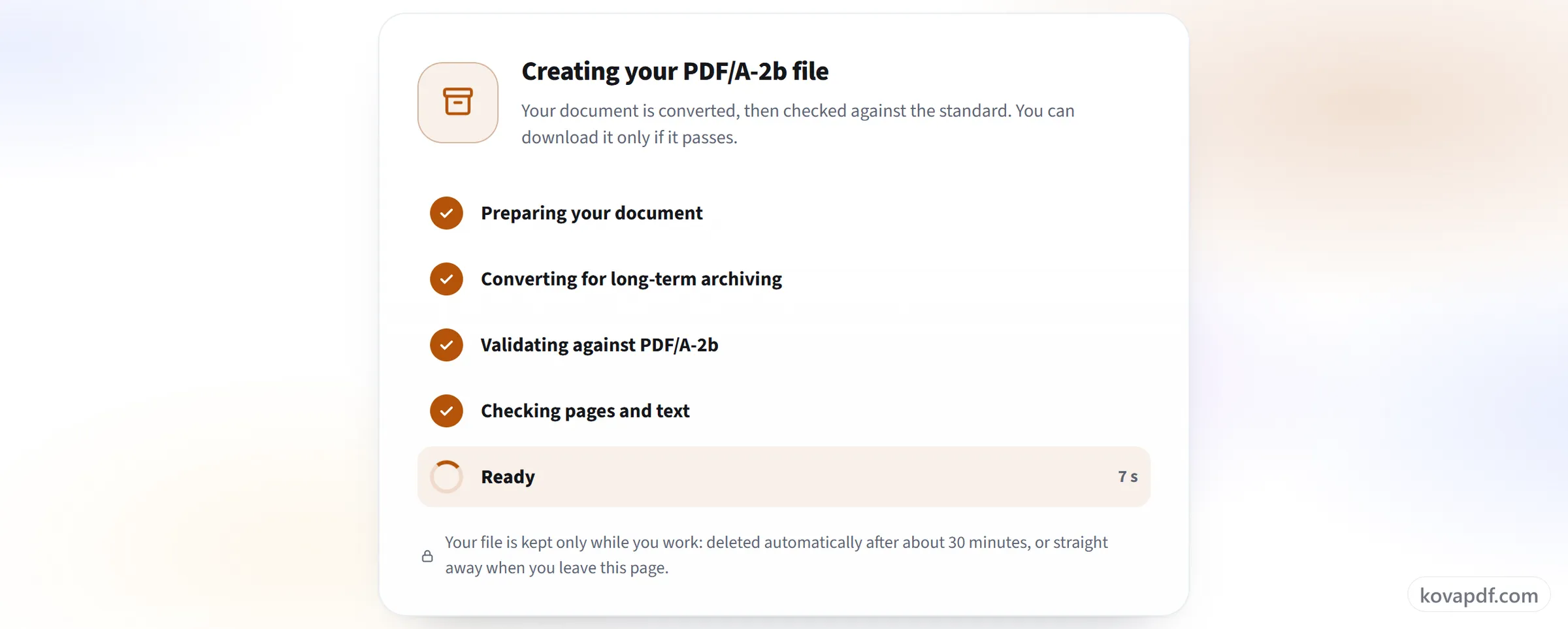
Convert, then download the validated file
The file is converted and then validated against the standard you chose. You can download it only when it passes, and the result lists exactly what was changed.
PDF to PDF/A: a visual walkthrough
Three steps from an ordinary PDF to an archival file that has passed validation.
Upload your PDF
Drag the .pdf onto the panel, or click it to pick one. It is checked straight away: fonts, colours, forms, scripts, attachments, signatures and security.
Read the check, keep the recommended standard
The compatibility check says what will change in your document, in plain words. PDF/A-2b is already selected because most archives accept it; open Other standards if you need PDF/A-1b, 2u, 3b or 3u.
Convert, then download the validated file
The file is converted and then validated against the standard you chose. You can download it only when it passes, and the result lists exactly what was changed.
Frequently asked questions about PDF to PDF/A
How do I convert a PDF to PDF/A?
Choose your PDF and the PDF/A version; PDF/A-2b is selected for you. The file is checked first and every change it needs is listed in plain words. After converting, the result is validated against the version you chose, and the download appears only if it passes.
What is PDF/A?
PDF/A is the kind of PDF made for keeping documents readable for decades. Everything needed to show the file, such as its fonts and colour profiles, is stored inside it, and anything that depends on outside software or the internet, such as scripts, links to outside files or encryption, is not allowed.
Which PDF/A version should I choose?
The one the archive, court or office receiving the file asks for. If nobody has said, keep PDF/A-2b, the default. Choose PDF/A-1b only when a system asks for it, 2u or 3u when the text must be reliably searchable and copyable, and 3b or 3u when files attached to the PDF must be kept, because the other versions remove attachments.
How do I know the file really is PDF/A?
Every converted file is checked against the rules of the version you chose before the download button appears. If it doesn't pass, you get no file, and we explain why. We never label a file as PDF/A without checking it.
Will my document look the same?
Yes. When a file only needs small fixes, such as a colour profile, archive information or removing scripts, those are fixed and the pages are not touched. When pages have to be rebuilt, for example to embed missing fonts, the text and the look of sample pages are compared before and after, and the result screen tells you what was found.
What happens to form fields, links and comments?
Links and bookmarks are kept. Comments are kept and given a fixed appearance so they print. Form fields stay fillable when the file can be fixed in place; when the pages have to be rebuilt they are flattened, which keeps what was typed in them but makes them no longer editable. The check before converting tells you which will happen.
My PDF is digitally signed. Can I convert it?
Yes, but any change to a signed file breaks its signature, and PDF/A conversion is a change. The signature is removed and its visible stamp is kept, so the new file never shows a signature as valid when it is not. Keep your original as the signed record, or sign the PDF/A copy again with Digital Signature.
Are scanned PDFs made searchable?
No. A scan keeps its image quality and becomes PDF/A as it is; no text recognition is added, so nothing is guessed. If the scan already has a searchable text layer, that layer is kept. To make a scan searchable first, run it through OCR PDF and then convert the result.
Can I convert a Word file or an image straight to PDF/A?
Not in one step, because this tool only takes PDFs. Turn the document into a PDF first with Word to PDF or Image to PDF, then bring that PDF here.
What happens to my file?
The file is converted on our server and kept only while you work: it is deleted about 30 minutes after upload, or straight away when you leave the page or start again. A password-protected PDF has to be unlocked first with Unlock PDF.
Is it free?
Yes. Every tool works without paying and without an account. Files can be up to 200 pages and 80 MB, and a run that fails costs you nothing.
Do I need to create an account?
No. All tools work without signing in. An account raises your hourly allowance and lets you see what you have processed.
PDF to PDF/A guides and articles
Related tools
All PDF tools · 15 step-by-step guides · How your files are handled