PDF to PowerPoint Converter
Turn your PDF into a PowerPoint deck. Every page becomes a slide, with its text placed back on top so you can edit it.
- Keeps your layout
- Works on any device
- Deleted after processing
- One slide per page
- Text back as editable boxes
- Slides sized to the first page
- Opens in PowerPoint
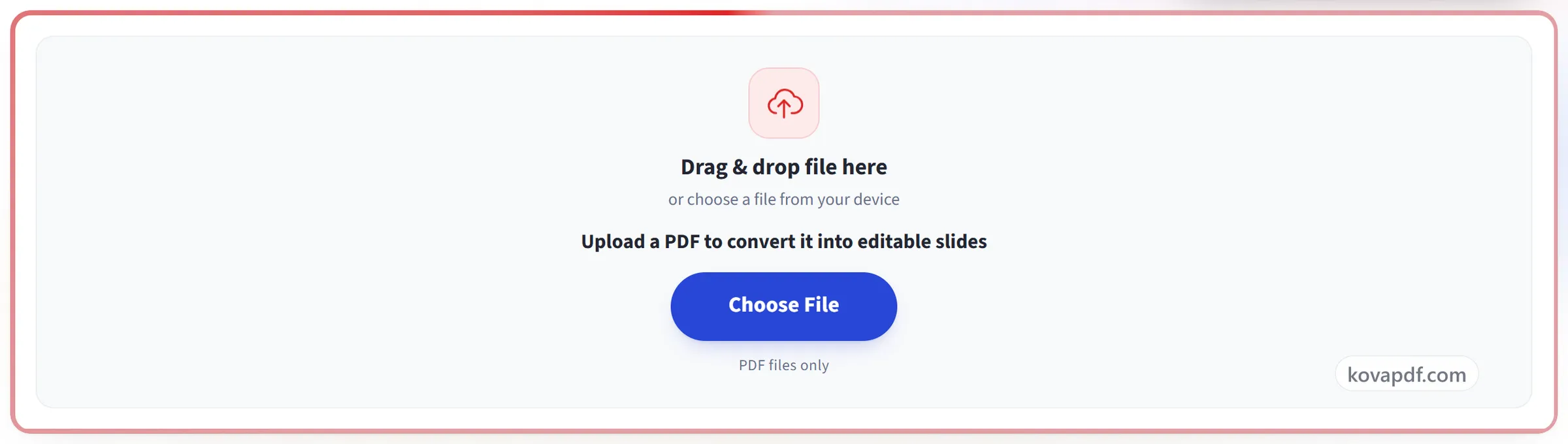
Drag & drop file here
or choose a file from your device
Upload a PDF to convert it into editable slides
PDF files only
Everything PDF to PPT can do
Turn every page of a PDF into a PowerPoint slide with its words still editable.
Page becomes slide
- Every page becomes one slide, in order
- Slide size set from the PDF's own page dimensions
- Background rendered at 150 dpi, crisp on a large screen
Text you can move
- The page's words come back as genuine PowerPoint text boxes
- Each box sits where its text sat on the page
- Font, size, bold, italic, underline and colour kept per run
- A line that changes style half way keeps both looks
- Line spacing set from the baselines the page itself used
Nothing printed twice
- The background is rendered with the text left out
- Drag or retype a line with no ghost of it underneath
- Logos, rules and photographs stay in the background image
More from one upload
- Switch the target to Word or Excel without re-uploading
- Download another Office format from the result screen
- Open the same PDF in the PDF Editor and finish as slides
How it works
PDF to PPT in three steps
Upload your PDF
Drag your file onto the upload panel, or click it to pick one from your device. Conversion starts as soon as the file is read, and the working copy is deleted the moment it finishes.
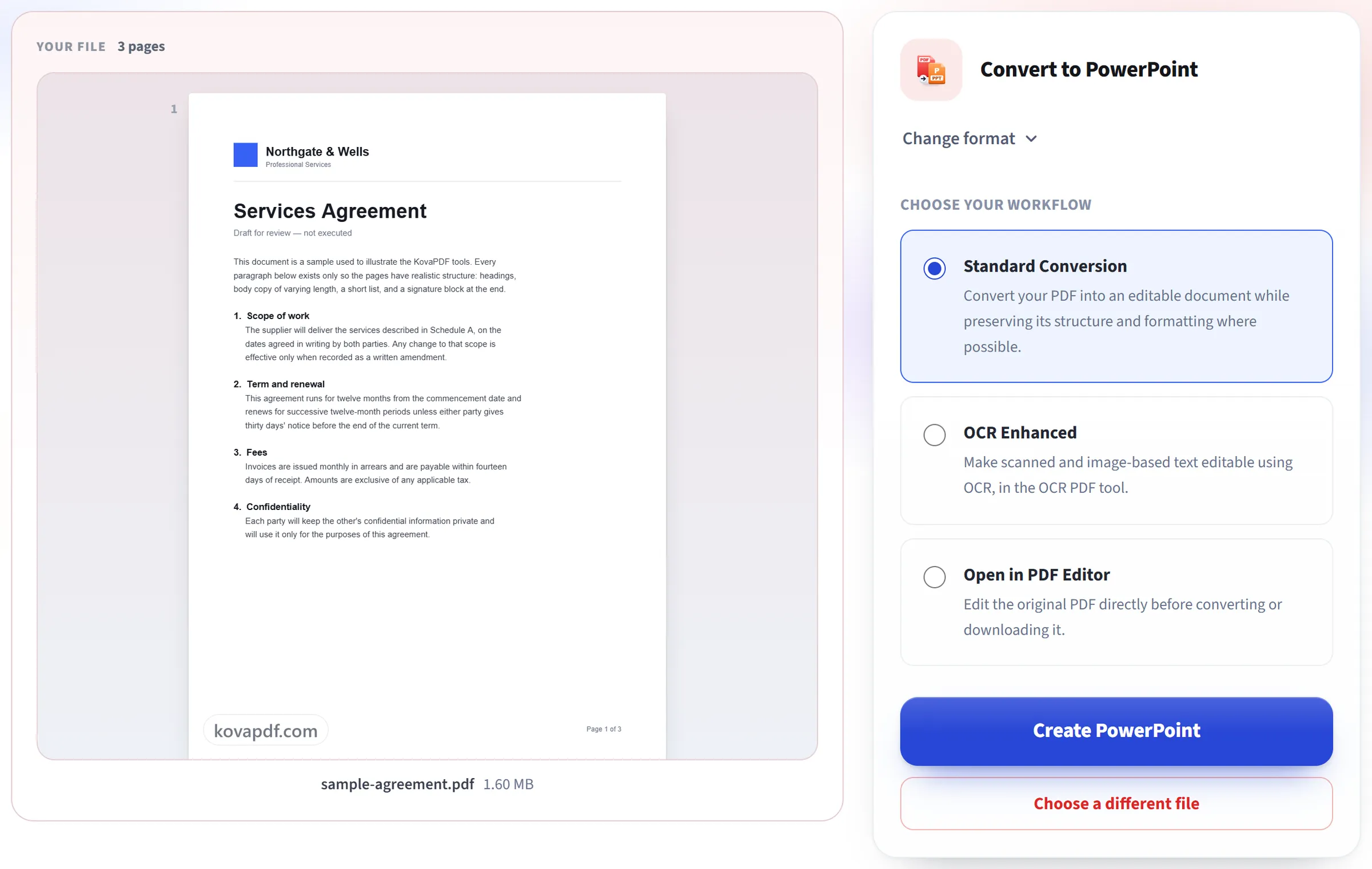
It builds your slides
Every page becomes a high-resolution slide image, with its own text placed back on top as editable text boxes at their original position.
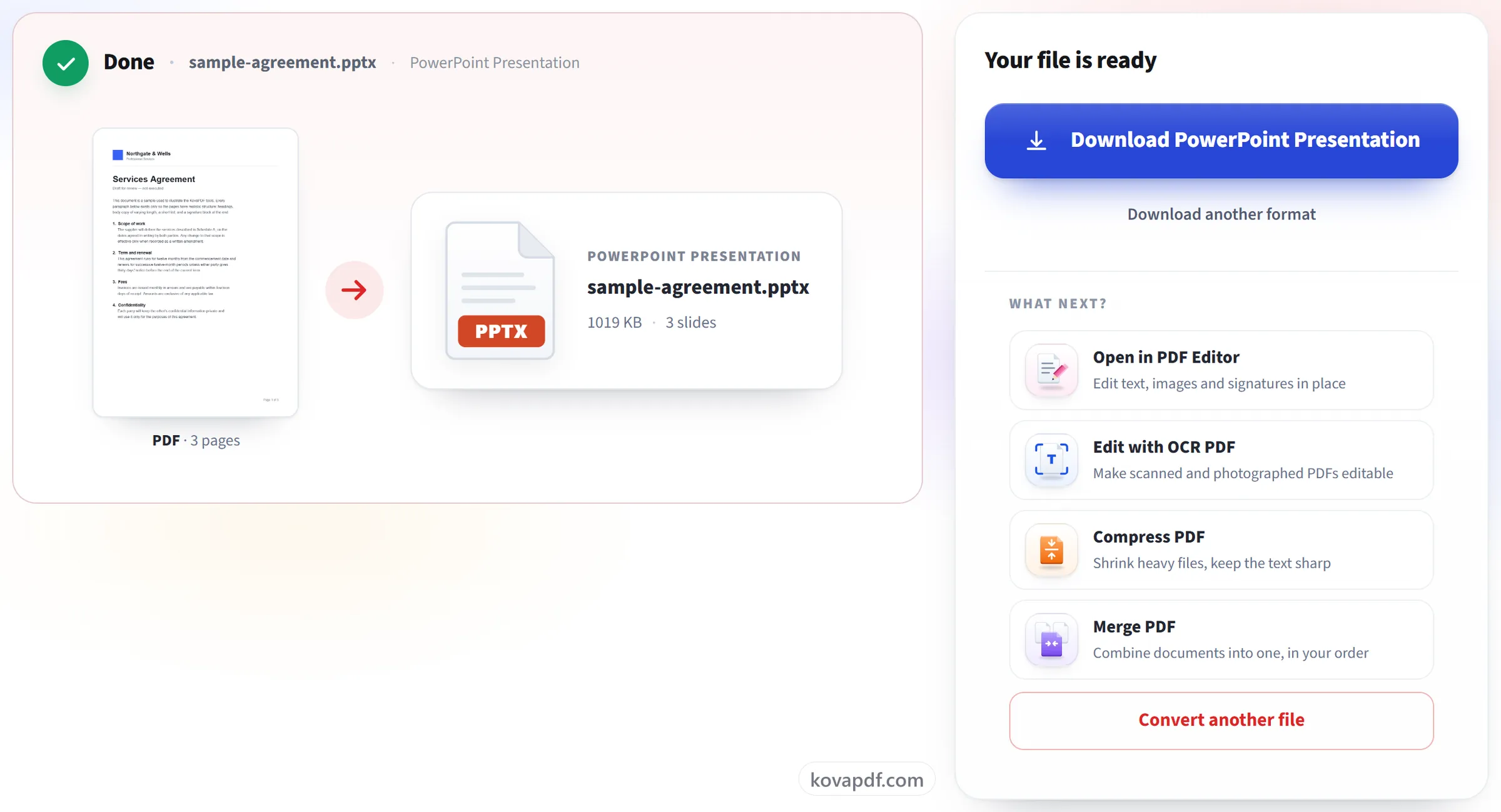
Download your deck
Open it in PowerPoint (or any compatible app) to edit the text directly on each slide.
PDF to PPT: a visual walkthrough
Turn each page into a slide you can actually edit.
Upload your PDF
Drag your file onto the upload panel, or click it to pick one from your device. Conversion starts as soon as the file is read, and the working copy is deleted the moment it finishes.
It builds your slides
Every page becomes a high-resolution slide image, with its own text placed back on top as editable text boxes at their original position.
Download your deck
Open it in PowerPoint (or any compatible app) to edit the text directly on each slide.
Frequently asked questions about PDF to PPT
How do I convert a PDF to PowerPoint?
Upload the PDF and download the .pptx that comes back. Every page becomes one slide, in the same order, with its text as editable text boxes over an image of the rest of the page. It opens in PowerPoint and other apps that read .pptx files.
Can I edit the text on each slide?
Yes. Each page's text is placed on the slide as real text boxes at its original position, in its original size and style, so you can retype, restyle or move it. The picture behind it is the page with its text taken out, so nothing is left showing when you move a box.
Can I turn a presentation saved as PDF back into PowerPoint?
Yes, and it is what this tool suits best. Each slide of the PDF becomes a slide again, with its text editable. Animations, transitions and speaker notes were lost when the PDF was made, so they cannot come back.
Can I edit the pictures and shapes on the slides?
Not one by one. Everything that is not text, such as photos, logos, charts, lines and backgrounds, is part of a single picture behind the text. You can replace, crop or delete that picture, but not select a shape inside it.
What size are the slides?
The deck takes the size of the PDF's first page, so a 16:9 PDF gives 16:9 slides and an A4 page gives A4-shaped slides. A PowerPoint file can have only one slide size, so a page with a different shape will not fit its slide exactly.
Why keep the background image at all?
It keeps everything that isn't text, such as images, logos, shapes and the exact layout, so the slide still looks right. The editable text sits on top of it.
Does it work on scanned PDFs?
Partly. Every page still becomes a slide, but a scanned page has no text to turn into text boxes, so those slides show only the picture.
Is it free?
Yes. Every tool works without paying and without an account. Files can be up to 200 pages and 80 MB, and a run that fails costs you nothing.
Do I need to create an account?
No. All tools work without signing in. An account raises your hourly allowance and lets you see what you have processed.
What happens to my file?
Your file stays on our server only for a short time while it is processed, then it is deleted. It is sent over an encrypted connection. We keep a record that the tool was used, but not the file name or what is in the file.
PDF to PPT guides and articles
Related tools
All PDF tools · 15 step-by-step guides · How your files are handled